Mastering Chip Design With Cadence Innovus: A Practical Guide
When you hear “Cadence Innovus,” the first thing most designers think of is a powerful place‑and‑route engine that can turn a netlist into a silicon‑ready layout. Whether you’re fresh out of university or leading a multi‑million‑dollar ASIC project, understanding how Innovus fits into the broader flow can save weeks of re‑work and keep power budgets in check. Below we walk through the tool’s core concepts, highlight the features that set it apart, and share a handful of tricks that seasoned users swear by.
What Is Cadence Innovus?
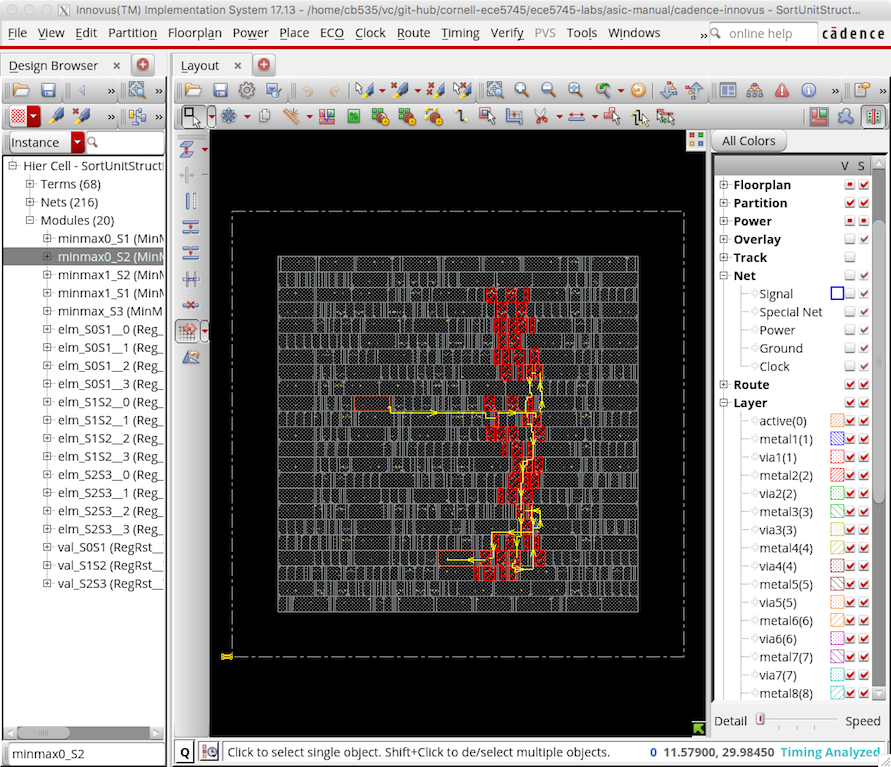
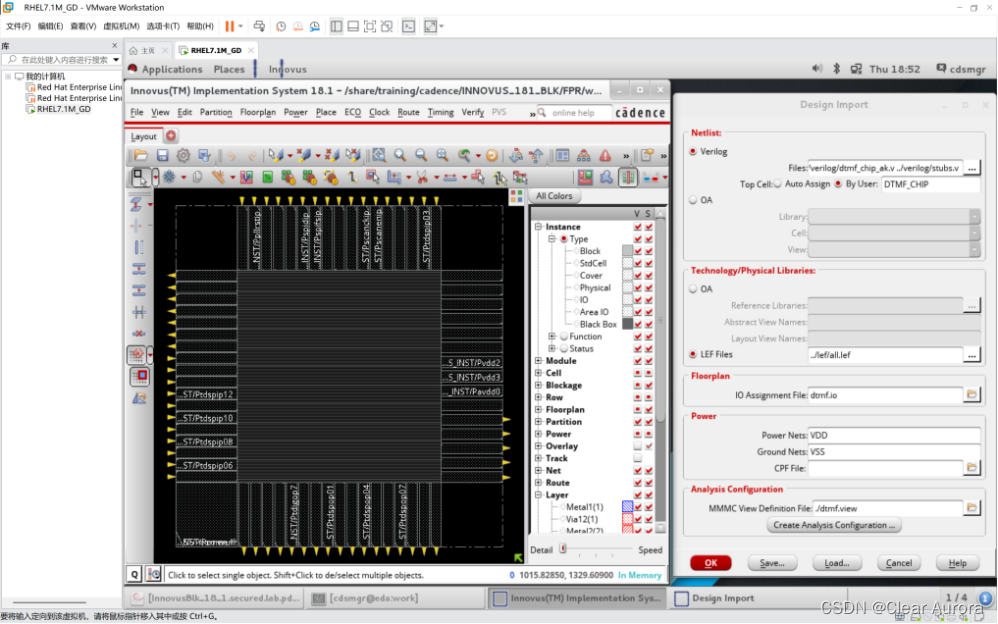
Innovus is Cadence’s flagship physical implementation platform. It takes a synthesized netlist, a technology file, and a set of design constraints, then performs floorplanning, placement, clock‑tree synthesis, routing, and timing sign‑off—all in a single, tightly integrated environment. Unlike older tools that required separate steps for each stage, Innovus lets you iterate quickly, applying changes to placement or routing without restarting the whole flow.
The engine is built on a high‑performance kernel that can handle designs ranging from a few thousand cells to multi‑billion‑gate systems. This scalability, combined with a rich set of optimization algorithms, makes it a go‑to solution for both low‑power mobile SoCs and high‑performance data‑center processors.
Key Features That Matter
- Unified Implementation Flow – All stages from floorplan to sign‑off live under one GUI, reducing context switches.
- Advanced Timing Engine – Multi‑corner, multi‑mode timing analysis runs in parallel, giving realistic slack numbers early.
- Power‑aware Optimization – Dynamic voltage scaling (DVS) and clock gating are considered during placement and routing.
- Design Rule Checking (DRC) Integration – Real‑time DRC feedback helps catch violations before they become costly re‑runs.
- AI‑assisted Guidance – Recent releases include machine‑learning models that suggest optimal placement densities based on prior runs.
Typical Workflow With Innovus
Most teams follow a pattern that looks like this:
- Floorplanning – Define core and I/O regions, set up power rings, and allocate macro blocks.
- Standard Cell Placement – The engine distributes cells while honoring timing and congestion targets.
- Clock‑Tree Synthesis – Generates a balanced clock network, often with built‑in skew minimization.
- Routing – Global routing determines rough pathways; detailed routing finalizes metal shapes and via stacks.
- Sign‑off – Timing, power, and DRC analyses confirm the design meets all constraints.
What sets Innovus apart is the ability to loop back at any point. For instance, if post‑routing timing shows a hotspot, you can invoke a “re‑place” command that nudges just the problematic cells without disturbing the rest of the layout.
Tips for Getting the Most Out of Innovus
Even with a sophisticated tool, a few disciplined practices can dramatically improve results:
- Start with realistic constraints. Overly aggressive clock periods force the placer to pack cells tightly, which usually leads to congestion later.
- Leverage the “Incremental Update” mode. When you adjust a macro size, let Innovus recompute only the affected region instead of re‑running the whole flow.
- Use the congestion heat map early. Visualizing hot spots after global routing gives you a chance to add blockages or adjust macro placement before detailed routing begins.
- Enable the “Power‑aware Placement” option. It inserts power‑grid awareness into the optimizer, reducing IR drop issues that often surface in sign‑off.
- Export a checkpoint. Saving the design state after each major step lets you revert quickly if a subsequent optimization backfires.
Common Pitfalls and How to Avoid Them
New users sometimes stumble over a few recurring issues:
1. Ignoring Early Congestion. Waiting until detailed routing to address routing density can cause endless “routed but not legal” loops. Run a quick congestion analysis after global routing and adjust the floorplan accordingly.
2. Over‑constraining the Clock Tree. Insisting on zero skew often forces the tool to add unnecessary buffers, inflating area and power. Instead, set a realistic skew budget and let the tool balance trade‑offs.
3. Skipping Incremental Verification. Running a full sign‑off after every minor change wastes time. Use the fast “quick sign‑off” option for early checks, reserving full analyses for the final stage.
Integrating Innovus With Other Cadence Tools
Most design houses run a Cadence‑centric flow, meaning Innovus rarely works in isolation. Here’s how it typically meshes with the rest of the suite:
- Genus Synthesis – Generates the gate‑level netlist that feeds Innovus.
- Tempus Timing Sign‑off – Provides a high‑accuracy timing closure after Innovus finishes routing.
- Voltus Power Integrity – Analyzes IR drop and electromigration using the final layout.
- Joules Power Analysis – Offers a post‑layout power estimate that can feed back into placement decisions.
Because these tools share a common database format (the *.enc and *.db files), you can script a seamless hand‑off using Cadence’s Tcl‑based automation framework.
What’s on the Horizon for Innovus?
Cadence is actively expanding Innovus with AI‑driven optimization and tighter cloud integration. Early previews show a “predictive placement” feature that learns from previous runs to suggest initial cell density maps, potentially shaving days off the iteration cycle. Additionally, a cloud‑native version is slated for 2025, enabling teams to tap massive parallel resources without investing in on‑prem hardware.
Frequently Asked Questions
How does Innovus differ from Cadence Encounter?
Encounter was Cadence’s earlier place‑and‑route tool, primarily focused on ASICs with a more manual workflow. Innovus builds on that foundation but adds a unified GUI, faster parallel timing analysis, and AI‑assisted guidance, making it more suitable for today’s complex, multi‑corner designs.
Can I use Innovus for FPGA prototyping?
While Innovus excels at ASIC implementation, it isn’t typically used for FPGA bitstream generation. For FPGA prototypes, designers often turn to vendor‑specific tools like Xilinx Vivado or Intel Quartus.
What license options are available for Innovus?
Cadence offers both node‑locked and floating licenses, as well as a cloud‑based subscription model. The exact pricing depends on the target technology node and the feature set (e.g., standard vs. premium AI modules).
Is it possible to run Innovus on a Linux workstation?
Yes. Innovus supports major Linux distributions (CentOS, RHEL, Ubuntu) and requires a compatible version of the Cadence environment (usually 2023.x or later). A GPU isn’t mandatory, but some AI‑assisted features can benefit from CUDA‑enabled cards.