How to Build a Home Automation System: A Step‑by‑Step Guide
Why Home Automation Matters
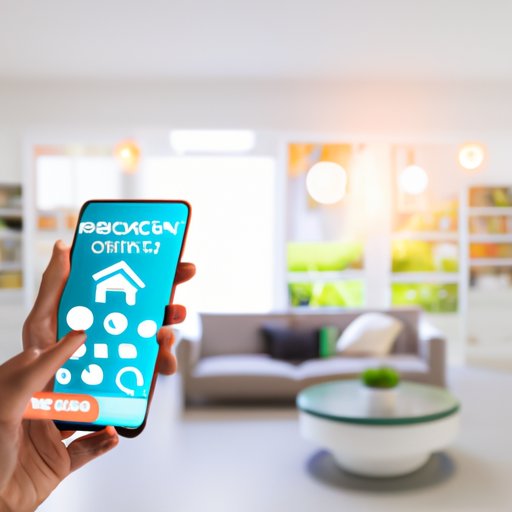
Imagine arriving home to lights that turn on automatically, the thermostat already set to your comfort zone, and the front door locked behind you—all without lifting a finger. That convenience is the promise of home automation, and a well‑planned step‑by‑step guide can turn the vision into reality without breaking the bank. While the hype can feel overwhelming, focusing on practical needs first keeps the project manageable and enjoyable.
Step 1: Define Your Goals and Budget
Start by listing the tasks you most want to automate. Is it lighting control, climate management, security monitoring, or a mix of all three? Once you have a clear picture, assign a realistic budget. Remember that many devices are affordable entry‑level options, but a robust hub or professional‑grade security camera can cost more. A written plan helps you avoid impulse buys that never get used.
Step 2: Pick a Central Hub or Controller
The hub is the brain of your smart home, translating commands between devices that speak different languages. Popular choices include dedicated hubs like Samsung SmartThings, Apple HomeKit bridges, or even a Raspberry Pi running Home Assistant. Your decision should hinge on three factors: compatibility with the devices you prefer, the ecosystem you’re already invested in, and the level of customization you desire.
Common Communication Protocols
- Zigbee – Low power, mesh networking; excellent for lights and sensors.
- Z‑Wave – Similar to Zigbee but operates on a different frequency, reducing interference.
- Wi‑Fi – Ubiquitous, but can strain your router if you add many high‑bandwidth devices.
Choosing a hub that supports at least two of these protocols gives you flexibility as your system grows.
Step 3: Start Small with Core Devices
Begin with a handful of versatile gadgets that demonstrate immediate value. Smart bulbs, a thermostat, and a door‑window sensor are often recommended starter packs. These items typically integrate smoothly with most hubs and showcase the convenience of automation right away.
Step 4: Connect Lighting, Climate, and Security
When you add smart bulbs, configure them into groups—like “Living Room Lights” or “Evening Ambiance”—so you can control multiple fixtures with a single command. A smart thermostat learns your schedule, but you can also set simple rules: lower the temperature when you leave home, raise it before you return. For security, pair motion sensors with smart locks and cameras; most hubs let you create a “Away Mode” that arms everything automatically.
Step 5: Set Up Automations and Scenes
Automation is where the magic truly happens. Use your hub’s app to create “if‑this‑then‑that” rules. For example, a motion sensor detecting movement after sunset could trigger the hallway lights and send a notification to your phone. Scenes are pre‑set collections of actions—think “Movie Night,” which dims lights, closes blinds, and sets the thermostat to a cozy 72°F.
Step 6: Secure Your Network
Every smart device is a potential entry point for hackers, so fortify your Wi‑Fi first. Change default passwords, enable two‑factor authentication on your hub, and consider a separate guest network for IoT gadgets. Regularly update firmware; most manufacturers push patches that close known vulnerabilities.
Step 7: Expand and Refine Over Time
Once the basics run smoothly, explore more specialized equipment: smart irrigation controllers for the garden, voice assistants in each room, or energy monitors that track appliance usage. Keep an eye on how you interact with the system—if a rule feels clunky, tweak it. The beauty of a modular approach is that you can add or replace components without overhauling the whole setup.
Frequently Asked Questions
Do I need a separate hub for home automation?
Not always. Some devices, especially those that rely on Wi‑Fi, can be controlled directly through a smartphone app. However, a hub simplifies management, ensures cross‑device compatibility, and provides a central place for automations.
Can I start with just a few devices and still benefit?
Absolutely. Even a single smart bulb paired with a voice assistant can make daily tasks easier. The key is to choose devices that integrate well with your hub, so future additions won’t require a complete redesign.
Is DIY home automation safe?
When you follow basic security practices—strong passwords, regular updates, and network segmentation—a DIY system is generally safe. For high‑risk scenarios, like door locks, you might prefer professionally installed equipment.
How much does a full‑home automation system cost?
Costs vary widely. A modest starter kit (lights, thermostat, hub) can be under $300, while a comprehensive setup with premium security cameras and whole‑home audio may exceed $1,500. Budget planning early helps you scale responsibly.