Master Supabase Storage: Your Complete Documentation Guide
What Is Supabase Storage?
Supabase Storage is the object‑storage component of the Supabase platform, letting developers upload, organize, and serve files directly from a managed bucket. Think of it as a lightweight, PostgreSQL‑backed alternative to services like Amazon S3, but with tight integration to Supabase’s authentication and real‑time APIs. Because it lives in the same project as your database and edge functions, you can enforce row‑level security on files just as you would on tables.
Core Concepts and Key Features
Before you start building, it helps to understand the building blocks:
- Buckets – Top‑level containers that group related files, similar to folders.
- Objects – The individual files stored within a bucket, each identified by a unique path.
- Policies – Row‑level security rules that determine who can read, write, or delete an object.
- Signed URLs – Time‑limited links that grant temporary access without exposing your private keys.
These concepts work together to give you fine‑grained control while keeping the developer experience simple. For example, a policy can allow only the author of a post to replace its attached image, while the rest of the world sees a public URL.
Getting Started: Setting Up a Bucket
First, head to the Supabase dashboard and navigate to the “Storage” tab. Click “Create bucket,” give it a concise name—like avatars or documents—and decide whether it should be public by default. Public buckets bypass policy checks for read operations, which is handy for assets that never need protection.
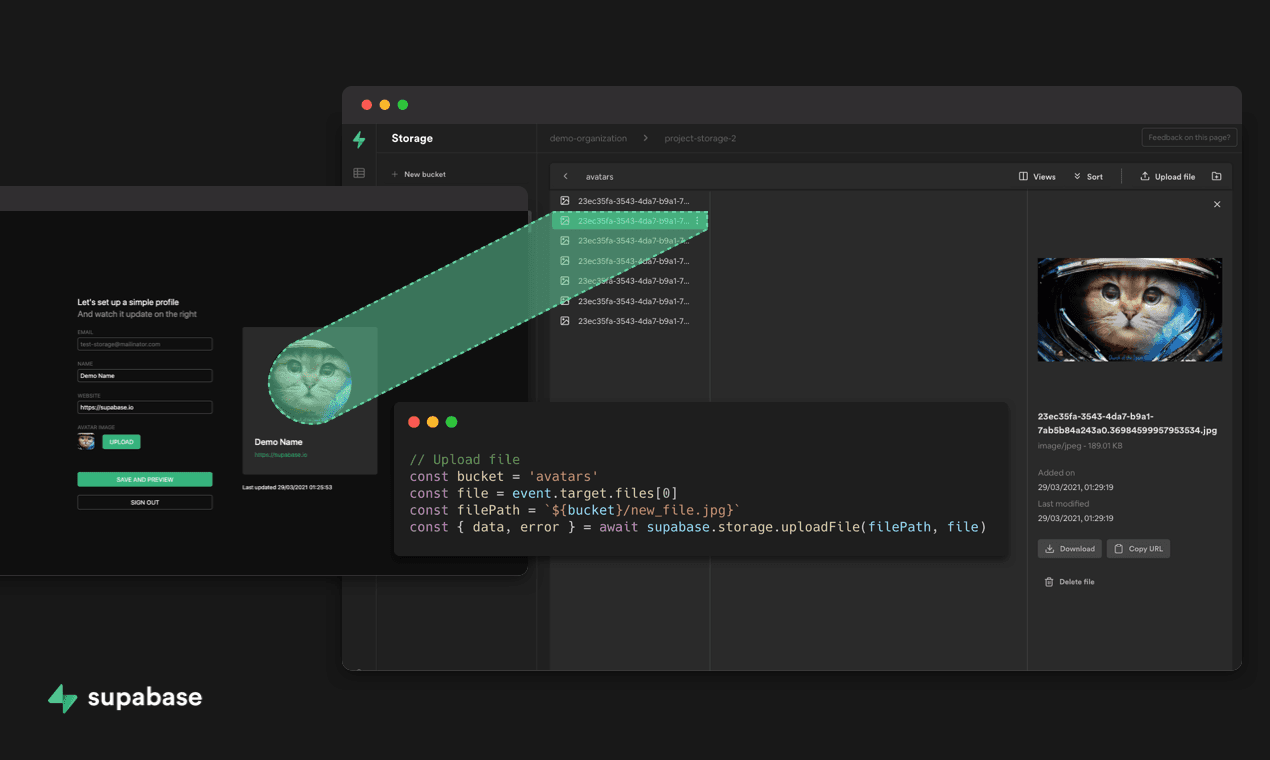
Once the bucket exists, you can interact with it via the Supabase JavaScript client, the RESTful storage API, or even directly through curl. A typical upload using the JS client looks like this:
const { data, error } = await supabase.storage.from('avatars')
.upload('user123/profile.png', file, { cacheControl: '3600', upsert: true })
The call returns a data object with the file’s public URL (if the bucket is public) or a signed URL you can generate later.
Managing Files and Access Controls
Supabase’s policy language mirrors PostgreSQL’s row‑level security, so you can write rules using familiar SQL syntax. Suppose you want only authenticated users to upload, but anyone can read public images:
-- Allow inserts for logged‑in usersINSERT ON storage.objects
FOR EACH ROW
USING (auth.uid() IS NOT NULL);
-- Allow selects for public bucket or owner
SELECT ON storage.objects
FOR EACH ROW
USING (bucket_id = 'public' OR auth.uid() = owner_id);
These policies sit alongside your database tables, meaning you can reference columns like owner_id that you stored when the file was first uploaded. When a user updates a profile picture, the policy automatically checks that auth.uid() matches the stored owner.
If you need to share a private file temporarily, generate a signed URL with an expiration time. The JS client makes this straightforward:
const { data } = await supabase.storage.from('private')
.createSignedUrl('confidential/report.pdf', 60) // valid for 60 seconds
Because the URL expires quickly, it’s safe to embed in email links or short‑lived redirects.
Integrating with Supabase Edge Functions
Edge functions run close to your storage layer, allowing you to process files on the fly. A common pattern is to resize uploaded images using a function triggered by a storage event. The function receives the bucket name and object path, performs the transformation with a library like Sharp, and writes the new version back to a thumbnails bucket.
This approach eliminates the need for a separate media server, keeping everything within the Supabase ecosystem and simplifying billing.
Performance Tips and Common Pitfalls
While Supabase Storage is convenient, a few nuances can trip up newcomers:
- Chunked uploads – Large files (over 5 MB) should be uploaded in chunks to avoid timeouts. The client library handles this automatically, but custom implementations need to respect the
uploadendpoint’s multipart format. - Cache control – Set appropriate
cacheControlheaders on uploads; otherwise browsers may re‑request assets on every page load. - Bucket size limits – Free tiers impose a storage cap (typically a few gigabytes). Monitor usage via the dashboard to prevent unexpected throttling.
- Policy ordering – When multiple policies apply, the most restrictive one wins. Test edge cases with a test user to ensure you haven’t unintentionally blocked legitimate access.
Keeping these points in mind will help you avoid costly re‑uploads or security oversights down the line.
Versioning and Auditing
Supabase does not yet provide built‑in versioning, but you can implement a simple version control scheme yourself. Store each new upload under a path that includes a timestamp or UUID, and keep a reference in a database table that points to the “current” version. This pattern lets you roll back to a previous file simply by updating the reference.
For audit trails, enable storage logs in the dashboard. These logs capture every upload, download, and delete event, complete with the user’s auth.uid(). Pairing logs with Supabase’s built‑in analytics gives you a clear picture of how assets are being used.
When to Choose Supabase Storage Over Alternatives
If your project already uses Supabase for authentication and database needs, adding storage is a natural next step. The single‑sign‑on experience, unified billing, and consistent API surface can reduce development overhead. However, for massive media libraries or compliance‑driven workloads that demand multi‑region replication, a dedicated CDN or enterprise‑grade storage provider might still be preferable.
FAQ
Can I make a bucket partially private, allowing only certain files to be public?
Yes. You can keep the bucket private and generate a signed URL for any file you want to share publicly. Alternatively, store public assets in a separate bucket and use policies to reference both as needed.
How does Supabase Storage handle large file uploads?
Files larger than 5 MB are automatically split into multipart chunks by the client SDK. Each chunk is uploaded sequentially, and the server reassembles them. This reduces the chance of network interruptions causing a full retry.
Is there a way to automatically delete old files after a certain period?
Supabase doesn’t have a built‑in expiration feature, but you can write a scheduled edge function that queries a metadata table for files older than your threshold and calls remove on those objects.
Do I need to configure a CDN separately?
Supabase serves files over a global edge network by default, which works well for most use cases. If you have stricter latency requirements, you can point a custom CDN to the storage endpoint, but it’s optional.