Master Live Events with Capit Live: The Ultimate Guide
Getting Started with Capit Live
If you’ve ever felt the scramble of setting up a webcast, you’ll appreciate how Capit Live streamlines the process. The platform combines a simple dashboard with robust streaming tools, so you can focus on content rather than tech headaches. Begin by creating an account, verifying your email, and linking the preferred social channels—YouTube, Facebook, or a private embed page. Once that’s done, run a quick “test broadcast” to confirm audio levels and video quality; it’s a small step that saves a lot of embarrassment later.
Key Features to Leverage
Capit Live packs several features that separate it from generic streaming services. Below are the most useful ones for event creators:
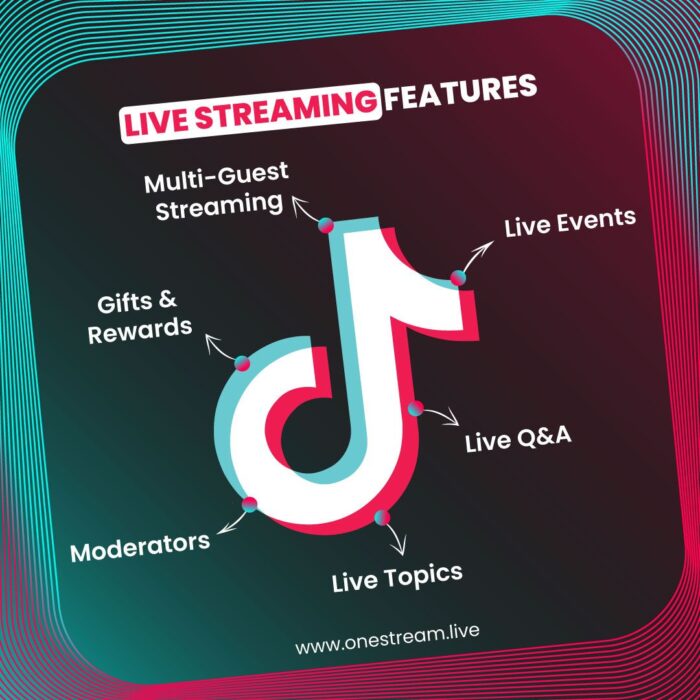
- Interactive Q&A – Attendees can type questions in real time, and moderators can surface the most relevant ones.
- Live Polls – Instant feedback on topics, helping you steer the conversation on the fly.
- Multi‑Stream Simulcast – Broadcast to multiple platforms simultaneously without extra bandwidth.
- Analytics Dashboard – Post‑event reports show viewer count, average watch time, and engagement spikes.
Each tool is accessible from the main control panel, so you don’t need to switch tabs or install third‑party plugins. The real magic happens when you combine them: imagine launching a poll, then addressing the top‑voted answer while the Q&A window scrolls live.
Planning Your Event Flow
A smooth live experience starts long before you hit “Go Live.” Sketch a rough timeline that includes opening remarks, main segments, interactive moments, and a closing call‑to‑action. Allocate buffer time—five minutes between sections is a safe cushion for technical hiccups or audience questions.
Next, prepare visual assets. Slide decks, lower‑third graphics, and branded overlays can be uploaded directly into Capit Live’s media library. When you schedule these assets, they appear automatically at the designated timestamps, reducing the chance of “forgot‑to‑show” moments.
Rehearsal Tips
Run a full dry‑run at least 24 hours before the event. Invite a few trusted colleagues to join as “silent viewers” and ask them to test the chat, poll, and audio. Treat their feedback as a checklist: are the subtitles syncing? Is the background music at a comfortable level? Fix any red flags now, because last‑minute fixes rarely go smoothly.
Running a Smooth Live Event
When the big moment arrives, keep your screen layout tidy. Capit Live lets you view the live feed, chat, and analytics side by side, but you can hide any pane that isn’t needed at the moment. A clean interface helps you stay focused and reduces the temptation to chase every notification.
During the broadcast, engage the audience early. Pose a question, launch a poll, or ask viewers to share a hashtag. The platform’s “highlight” button lets you pin a particularly insightful comment, turning a passive viewer into a momentary co‑host.
If something goes wrong—say, a microphone drops out—don’t panic. Use the “mute all” feature to silence background noise, then announce a brief pause while you troubleshoot. Audiences appreciate transparency, and a short apology often feels more authentic than trying to hide the glitch.
Post‑Event Wrap‑Up
After the stream ends, the analytics dashboard springs into action. Review the peak viewership time, see which poll question generated the most votes, and note any drop‑off points. Export the data to CSV if you need to share it with sponsors or team members.
Don’t forget to repurpose the recording. Capit Live offers an on‑demand link that you can embed on your website or send in a follow‑up email. Pair the video with a short blog recap that highlights key takeaways and includes a link to the recorded Q&A for those who missed the live chat.
Frequently Asked Questions
Can I stream to a private website using Capit Live?
Yes. The platform provides an embed code that works on any site supporting HTML, allowing you to restrict access with a password or a member‑only login.
Do I need special hardware for high‑quality streams?
A reliable webcam and a USB microphone are sufficient for most webinars. If you’re aiming for a production‑level broadcast, consider a capture card and a dedicated audio interface, but they’re not mandatory.
How does Capit Live handle latency?
The service uses adaptive bitrate streaming, which automatically adjusts the video quality based on each viewer’s connection. This helps keep latency low, typically under two seconds for most audiences.
Is there a limit on the number of attendees?
Capit Live scales with your plan. The standard tier supports up to 5,000 concurrent viewers, while enterprise options can accommodate larger audiences on request.