How to Use Huawei Health App for a Healthier Lifestyle
The Huawei Health app has quietly become a central hub for anyone looking to track steps, monitor sleep, or get a clearer picture of overall fitness. Whether you’ve just bought a Huawei smartwatch or you’re curious about the app’s free features, the first thing to know is that the interface is built around simplicity, not jargon. In the next few minutes you’ll learn how to set it up, pick the metrics that matter to you, and turn raw data into small, sustainable habits.
Getting Started: Installing and Syncing Devices
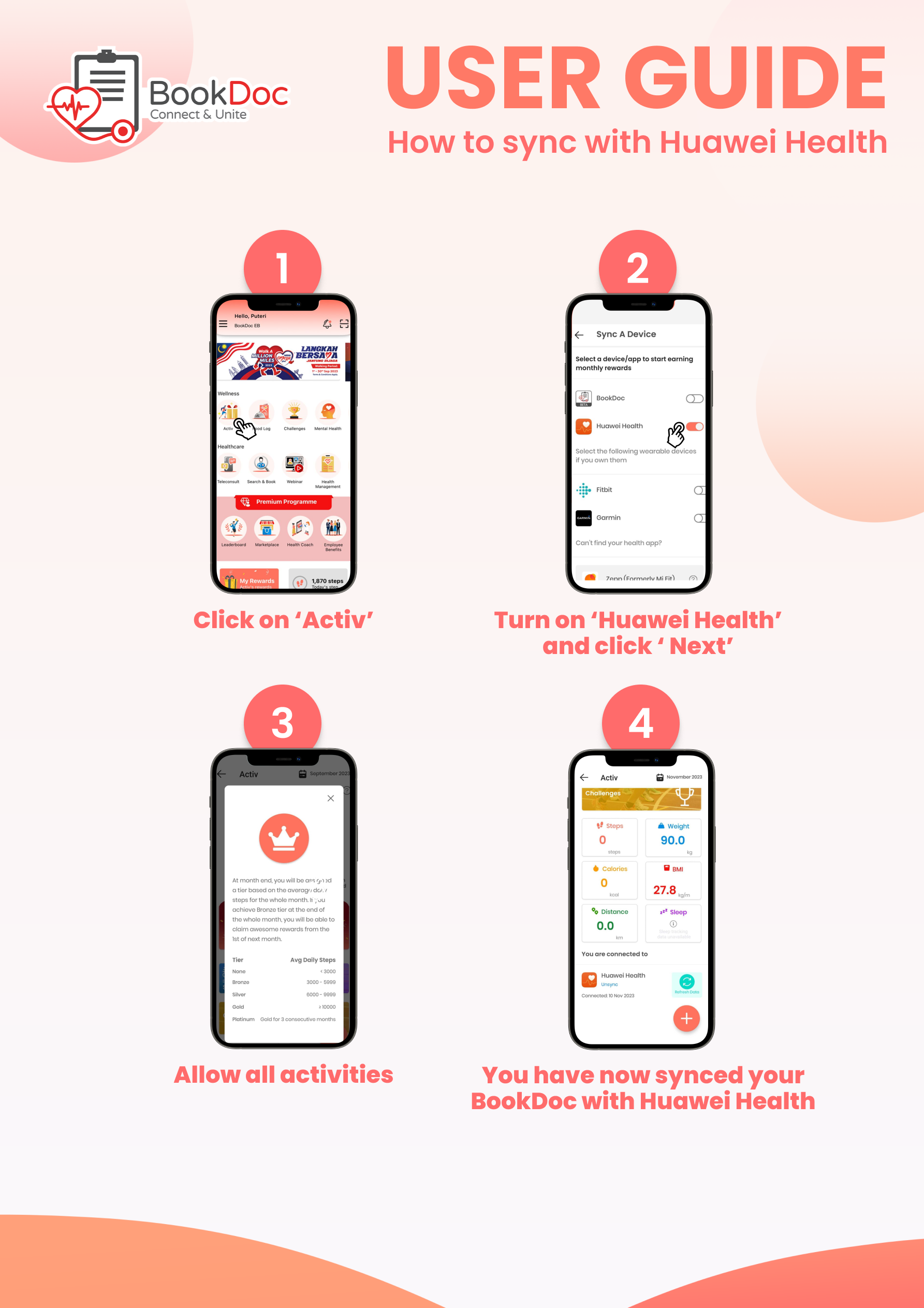
Head to the AppGallery or Google Play Store, search for “Huawei Health,” and tap Install. After the download finishes, open the app and grant the permissions it asks for—location, activity recognition, and access to health data are essential for accurate tracking. The next screen will prompt you to pair a device; if you own a Huawei Watch, band, or even a compatible ear‑bud, follow the on‑screen Bluetooth instructions. For those without a Huawei wearable, the app still works using your phone’s built‑in sensors, though the step count may be slightly less precise.
Key Features That Matter for Everyday Wellness
- Dashboard Overview: A single glance shows steps, calories burned, and active minutes.
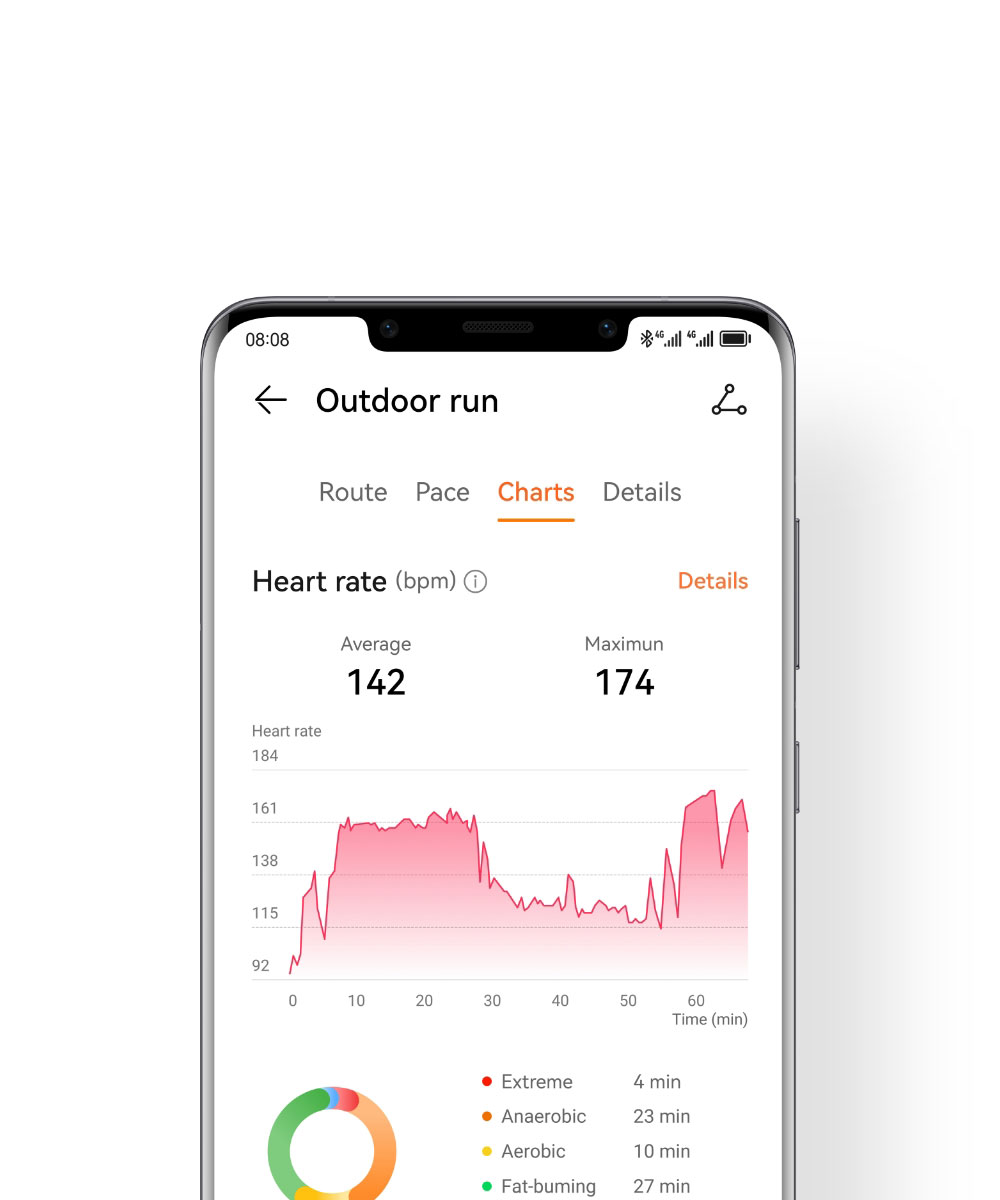
- Workout Recorder: Choose from pre‑set activities like running, cycling, or yoga, and the app logs duration, distance, and heart‑rate zones.
- Sleep Analyzer: After you wake up, the app breaks down deep, light, and REM phases.
- Stress Monitor: Uses heart‑rate variability to give a quick stress score, then suggests breathing exercises.
- Health Insights: Weekly summaries highlight trends and suggest where you could improve.
Tracking Your Activity: Steps, Workouts, and More
Once your device is synced, the step counter starts automatically. If you prefer manual entry—say, for a hike where GPS is spotty—you can add steps in the “Add Data” section. For structured exercise, select the “Workout” tab, pick the activity type, and hit “Start.” The app captures real‑time heart‑rate if your wearable supports it, and it will flag any moments when you cross into higher intensity zones. After you finish, you can tag the session (e.g., “Morning Run”) and add a short note about how you felt, which later helps the AI‑driven insights suggest optimal training loads.
Managing Sleep and Stress
Sleep tracking works best when you wear a device that monitors movement and heart‑rate throughout the night. In the morning, open the “Sleep” page to see a visual timeline: light sleep appears in pale blue, deep sleep in dark blue, and REM in purple. The app also calculates a sleep score based on duration, consistency, and sleep efficiency. For stress, the “Stress” tab shows a daily curve; if the score spikes, tap the breathing icon for a guided 1‑minute exercise. Over time, you’ll notice patterns—perhaps late‑night screen time correlates with higher stress scores—and you can adjust habits accordingly.
Personalizing Goals and Insights
One size does not fit all when it comes to health targets. In the “Profile” section, set a step goal that feels challenging yet realistic—5,000 steps for a mostly sedentary lifestyle, 10,000 for a more active routine. You can also define calorie, distance, or active‑minute goals. The app then uses machine learning to compare your actual performance against these targets, nudging you with gentle reminders if you fall behind. For a deeper dive, explore the “Insights” tab; it surfaces trends like “You’re most active on weekends” or “Your heart‑rate recovery improves after each workout.”
Staying Motivated with Community and Challenges
If you thrive on a little competition, the “Challenges” page offers weekly or monthly quests—such as “Walk 70,000 steps in a week” or “Complete three cardio sessions.” Joining a challenge automatically pairs you with a leaderboard of friends or random users, turning solitary activity into a social game. You can also share achievements on WeChat, WhatsApp, or other platforms directly from the app, which often sparks friendly encouragement and keeps momentum going.
Privacy and Data Security Considerations
Huawei positions the Health app as a privacy‑first platform. All health data is stored locally on your device unless you opt into cloud backup, which encrypts information before it leaves your phone. The app’s privacy policy states that data is never sold to third parties, and you can revoke all permissions at any time via your phone’s settings. If you’re especially cautious, toggle off “Share data with partners” in the “Settings” menu and rely solely on on‑device analytics.
Frequently Asked Questions
Can I use Huawei Health without a Huawei phone?
Yes. The app is available on Android and iOS, and it works with any compatible wearable that supports Bluetooth Low Energy. Some Huawei‑specific features, like certain UI skins, may be limited on non‑Huawei devices, but core tracking functions remain fully operational.
How accurate is the heart‑rate monitoring?
When paired with a Huawei smartwatch or band, heart‑rate readings are generally comparable to mainstream fitness trackers, with an error margin of around 2–3 %. Accuracy drops slightly if you rely on the phone’s camera‑based sensor, which is best for occasional spot checks rather than continuous monitoring.
Does the app sync with third‑party wearables?
Huawei Health can import data from a handful of non‑Huawei devices, such as certain Fitbit or Garmin models, via the “Import Data” feature. However, real‑time syncing is limited to Huawei’s own ecosystem, so for the smoothest experience, a Huawei wearable is recommended.