How to Recover a Forgotten Facebook Password Quickly
Forgot Facebook password and feeling stuck? You’re not alone—millions hit that snag each year. The good news is Facebook’s recovery tools are built for exactly this scenario, and you can usually get back into your profile without calling anyone. In the next few minutes we’ll walk through the most reliable methods, what to do if your contact info is out of date, and a handful of security tweaks to keep the problem from reappearing.
Understanding Why the Simple Reset Might Fail
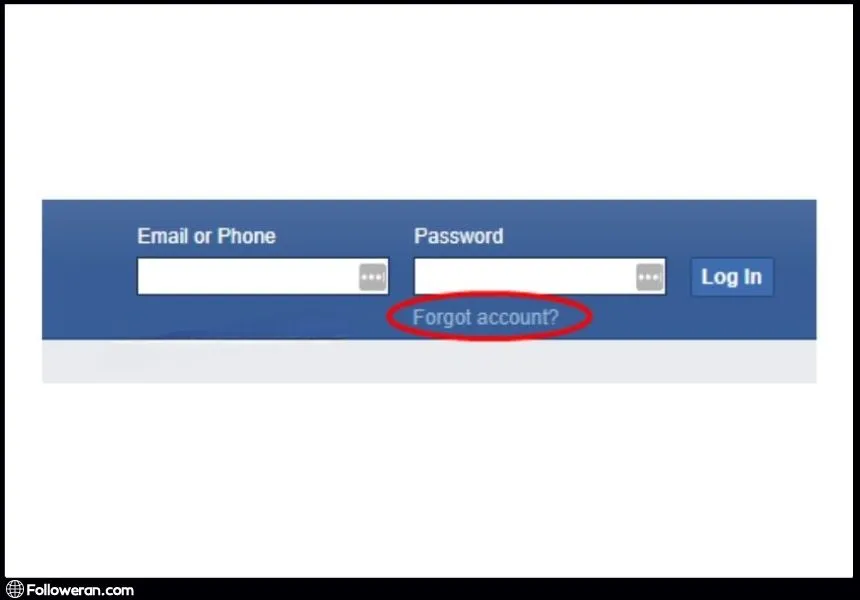
When you click “Forgot password?” Facebook tries to verify you through the email address or phone number on file. If those channels are no longer active, the system can’t send the one‑time code it needs to confirm your identity. That’s why many users hit a dead end on the first screen. Knowing which piece of information is missing helps you choose the right backup route before you start troubleshooting.
Step‑by‑Step Guide to Recovering Your Facebook Account
Below is a concise checklist that works for most scenarios. Follow each step in order; you’ll often find the solution after the second or third attempt.
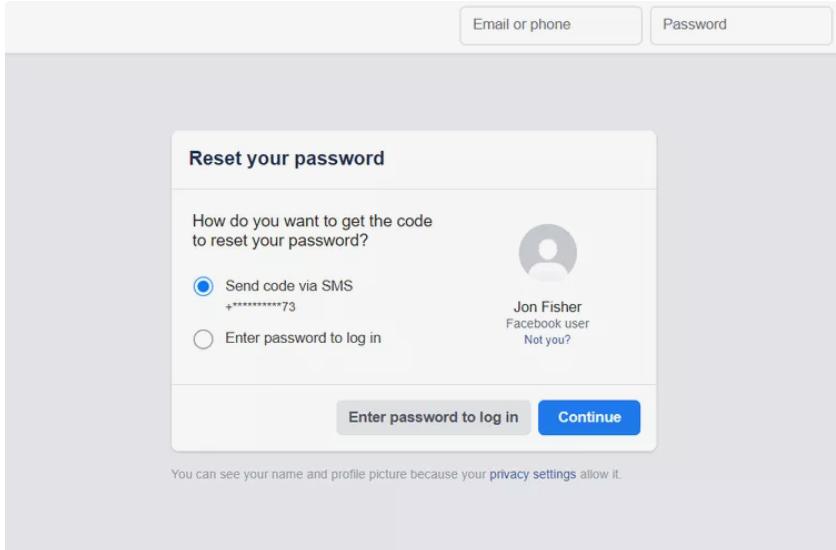
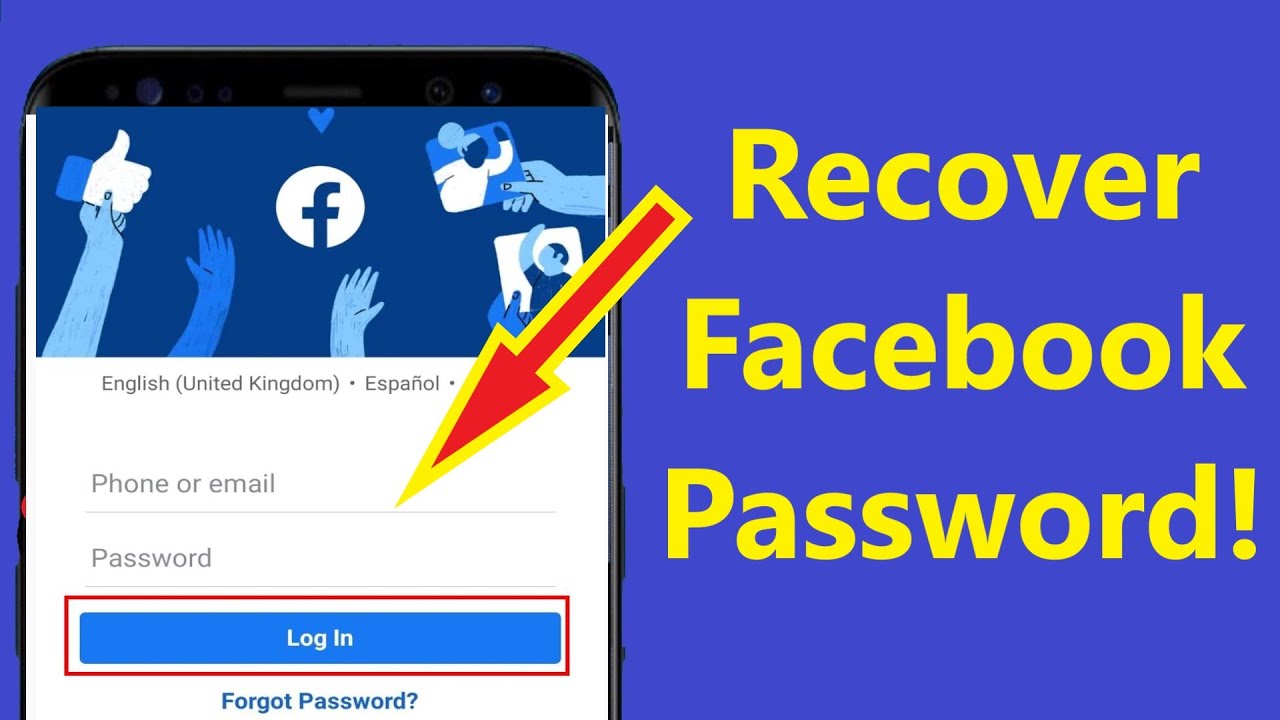
- Start at the login page. Click “Forgot password?” and enter the email, phone number, username, or full name linked to your account. Facebook will suggest a few recovery options based on what it has on file.
- Select the most accessible option. If you still have access to the listed email or phone, choose it and click “Continue.” Facebook will send a six‑digit code.
- Enter the code promptly. Once you receive the code, type it into the prompt. You’ll be taken to a page where you can set a new password.
- Create a strong, unique password. Aim for at least 12 characters, mixing letters, numbers, and symbols. Avoid anything you’ve used on other sites.
- Confirm the change. After saving the new password, Facebook may ask if you want to log out of other devices. It’s wise to do so, especially if you suspect unauthorized access.
If none of the suggested contacts work, move on to the “No longer have access?” link that appears beneath the recovery options. This will launch Facebook’s “Trusted Contacts” flow.
Using Trusted Contacts to Regain Access
Trusted contacts are friends you’ve previously designated to help you recover your account. Here’s how to leverage them:
- Choose the “Reveal my trusted contacts” option.
- Enter the full name of one of your trusted friends. Facebook will give you a URL that you need to send to that person.
- Your friend opens the link and provides you with a recovery code.
- Collect codes from at least three contacts, then enter the combined code on the recovery page.
Once the code is accepted, you’ll be prompted to set a new password. Remember to update your contact information right away, so you won’t need to rely on trusted contacts next time.
What to Do If You No Longer Have Access to Your Email or Phone
Sometimes the email address you signed up with is defunct, or you’ve changed your phone number. In these cases, Facebook offers a “Verify Your Identity” option. You’ll be asked to upload a clear photo of an official ID—driver’s license, passport, or national ID card. After submitting, Facebook typically reviews the request within a few days and contacts you with further instructions.
While waiting, you can also try the following:
- Search your email inbox for any older messages from Facebook; they may contain a backup email address you forgot about.
- Check any saved passwords in your browser or password manager; sometimes the old password still works for a short period after a reset.
- Look for login alerts in your email or phone notifications that might reveal the device or location of the last successful sign‑in, which can be useful if you need to contact Facebook support.
Tips to Keep Your Account Secure After Recovery
Getting back in is only half the battle. Strengthening security now can prevent future lockouts.
- Enable two‑factor authentication (2FA). Choose either a text message code or an authenticator app for the extra layer of protection.
- Review your login alerts. Turn on notifications for unrecognized logins, so you’re instantly aware of suspicious activity.
- Update recovery contacts. Add a current email address, a phone number you’ll keep long term, and at least three trusted contacts.
- Use a password manager. This eliminates the need to memorize complex passwords and reduces the chance of forgetting them.
Frequently Asked Questions
Can I recover my Facebook account without an email address?
Yes. If you’ve set up trusted contacts or have a phone number attached, you can use those alternatives. As a last resort, Facebook’s identity verification process lets you prove ownership with a government‑issued ID.
How long does the ID verification process usually take?
Most users receive a response within 24‑48 hours, but complex cases can take up to a week. Keep an eye on the email you used to submit the ID for any follow‑up requests.
Will changing my password log me out of all devices?
Facebook gives you the option to log out everywhere. It’s recommended to choose this, especially if you suspect that someone else might have accessed your account.
What should I do if my account was hacked before I could reset the password?
Use the “Hacked?” link on the login page. Facebook will guide you through securing the account, which includes changing the password, reviewing recent activity, and revoking suspicious app permissions.






.jpg)

