How to Get Your Walmart W‑2 Online: A Simple Step‑by‑Step Guide
Why the Online W‑2 Matters
Tax season can feel like a juggling act, especially when you’re waiting for that crucial piece of paperwork. For former or current Walmart employees, the W‑2 is the key to filing federal and state returns accurately. Getting your Walmart W‑2 online not only speeds up the process but also reduces the risk of a misplaced paper form. Most people who work for large retailers discover that the digital copy lands in a secure portal the same way a paycheck does—quick, traceable, and available 24/7.
Where to Find Walmart’s Employee Self‑Service Portal
The first stop on the road to your W‑2 is Walmart’s employee hub, WalmartOne. If you’ve never logged in before, you’ll need to set up a profile using the email address you gave HR. The portal doubles as a hub for schedules, pay stubs, and benefits, so you’ll likely already have a username and password floating around in your inbox.
Once you’re inside, look for the “Tax Documents” tab. It’s usually tucked under “My Profile” or “Payroll.” The layout can shift slightly from year to year, but the wording stays consistent—if you see anything resembling “W‑2” or “Tax Forms,” you’re on the right track.
Step‑by‑Step: Downloading Your Walmart W‑2
- 1. Log in to WalmartOne. Use your existing credentials; if you’ve forgotten them, click “Forgot Password” and follow the reset instructions.
- 2. Navigate to the Tax Documents section. This may be labeled “2023 Tax Forms,” “W‑2,” or simply “Tax Year.”
- 3. Verify your identity. Many portals ask for a security question or a short code sent to your phone before releasing sensitive documents.
- 4. Locate the PDF. The file is usually titled something like “W‑2_2023_Walmart.pdf.” Click to preview, then select “Download” to save it to your computer or mobile device.
- 5. Store it safely. Consider saving a copy in a cloud folder with two‑factor authentication. That way you’ll have access even if your laptop crashes.
If you hit a dead end—say the Tax Documents tab is empty or your W‑2 isn’t listed yet—don’t panic. Walmart typically releases electronic W‑2s by mid‑January. A brief wait can be normal, especially for seasonal staff whose employment dates vary.
Troubleshooting Common Hurdles
Missing W‑2 after the release date? Double‑check that the email address on file matches the one you use for WalmartOne. A simple typo can lock you out of the entire payroll section.
Can’t log in at all? Contact Walmart’s HR helpline. They can confirm whether your account is active or if you need a new login link. Keep your employee ID handy; it speeds up verification.
PDF won’t open? The file is usually generated in a standard PDF/A format, compatible with most readers. If your default program fails, try opening it in a web browser or a free viewer like Adobe Acrobat Reader.
What to Do If You Need a Paper Copy
Although the online version satisfies the IRS, some lenders still request a physical copy. In that case, print the PDF on plain, white paper—no fancy letterhead. Sign the bottom of the form if you’re attaching it to a loan application; otherwise, the electronic version is sufficient for most tax filing software.
Filing Your Taxes With the Walmart W‑2
When you start your tax software, it will ask you to import your W‑2. Most major programs (TurboTax, H&R Block, TaxAct) let you upload the PDF directly. The software reads the boxes—wages, tax withheld, and any other amounts—and fills out the appropriate fields for you.
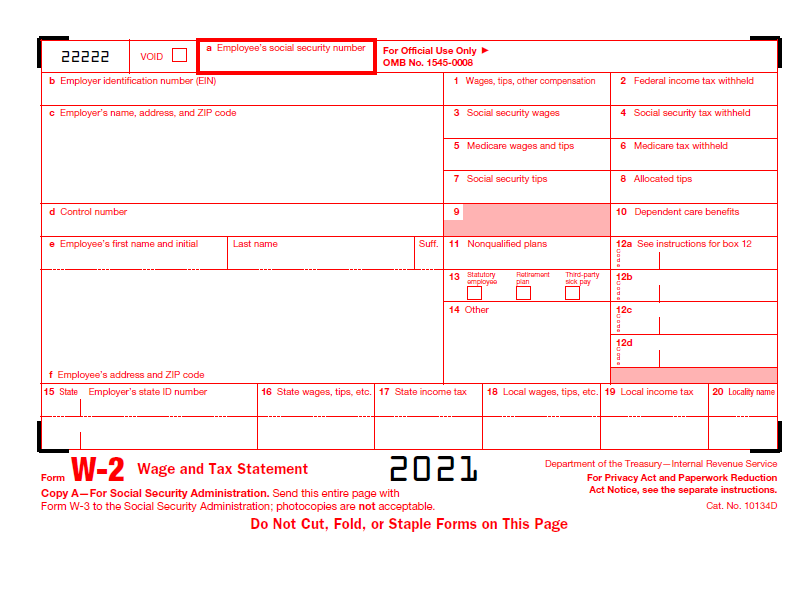
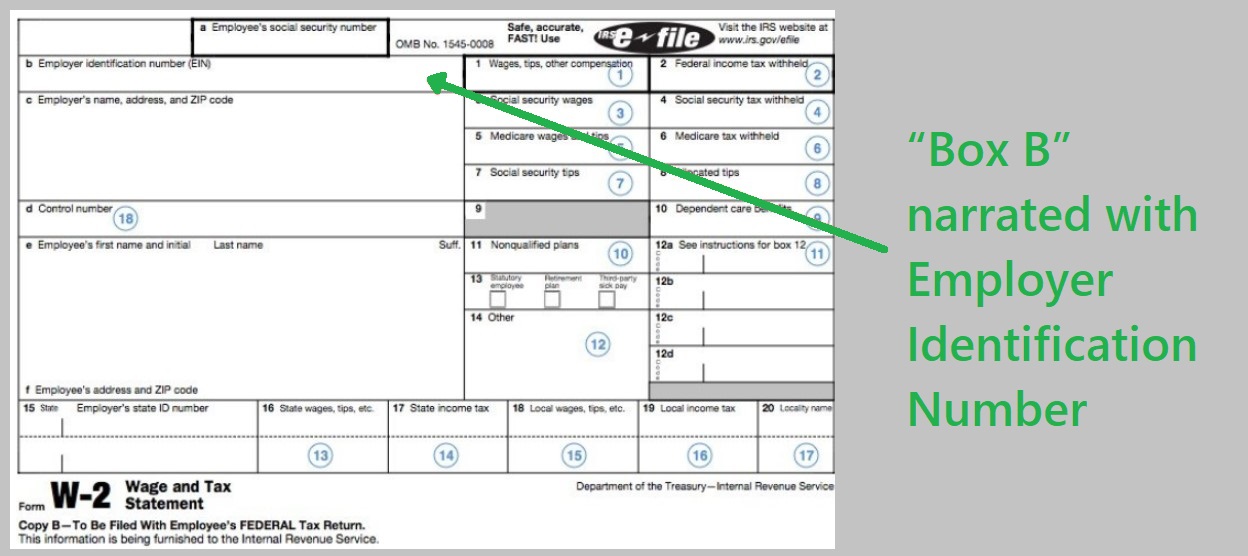
If you prefer a manual entry, open the PDF and locate the familiar box numbers: Box 1 for wages, Box 2 for federal tax withheld, Box 12 for any special deductions like retirement contributions. Having the digital copy handy reduces transcription errors, a common cause of IRS notices.
Keeping Your W‑2 Secure After Tax Season
Once you’ve filed, keep the Walmart W‑2 in a safe place for at least seven years. The IRS can request proof of income for audits, and employers are required to retain copies for a similar period. A secure cloud folder, an encrypted USB drive, or a locked filing cabinet are all viable options.
Quick FAQ
When will Walmart post the 2023 W‑2 online?
Most employees see their electronic W‑2 by the third week of January. If it’s still missing after February 10, reach out to HR.
Can I access my Walmart W‑2 from a mobile device?
Yes. The WalmartOne portal is mobile‑friendly, and the PDF can be viewed or downloaded directly from a smartphone or tablet.
What if I changed my email address after leaving Walmart?
Update your contact info in the employee portal before the tax season, or contact HR to have the new address added retroactively.
Do I need a paper copy for state tax filing?
Usually not. Most state tax agencies accept the electronic W‑2, but check your state’s specific requirements just in case.