How to Fix DIRECTV 771 Signal Errors Quickly at Home
What the 771 Error Actually Means
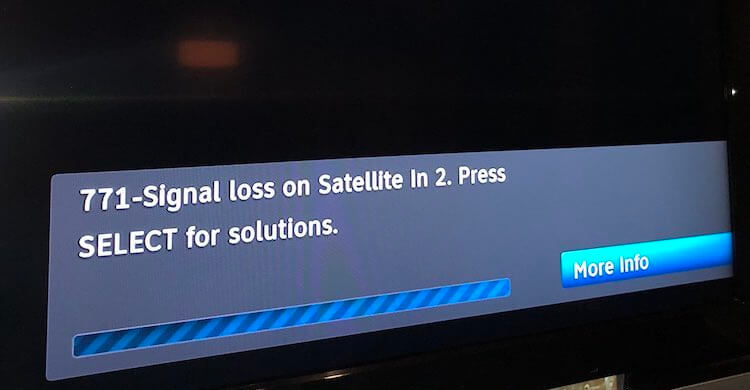
The dreaded DIRECTV 771 error appears on your receiver’s screen when the box can’t locate a stable satellite signal. It isn’t a mysterious hardware failure; most of the time it’s a simple connectivity hiccup that you can resolve without a technician. Understanding that the error is essentially a “no signal” warning helps you stay calm and follow a logical troubleshooting path.
Typical Triggers Behind Signal Problems
Before you start pulling cables, it’s worth knowing the usual suspects. Weather is the most obvious culprit—heavy rain, snow, or even dense clouds can scatter the satellite’s microwave beam. A mis‑aligned dish is another frequent offender; a few degrees off and the signal drops dramatically. Finally, everyday wear and tear—loose connectors, corroded cables, or a power surge—can interrupt the flow of data to the receiver.
Step‑by‑Step Guide to Restoring Your Signal
Follow these actions in order. Skipping a step often leads to repeated frustration.
1. Verify Power and Connections
- Make sure the receiver is fully powered on; a blinking standby light usually indicates it’s waiting for a signal.
- Check that the coaxial cable running from the dish to the receiver is snug at both ends. A gentle twist can reseat a loose connection.
- Inspect the cable for any visible damage—kinks, cuts, or rusted connectors should be replaced promptly.
2. Reset the Receiver
Unplug the receiver from the wall outlet, wait about 30 seconds, then plug it back in. This power‑cycle forces the unit to re‑scan for satellites, often clearing temporary glitches.
3. Examine the Dish Alignment
If you have a clear line of sight to the sky, step outside and look at the dish’s reflector. It should be pointed toward the southern sky (in the U.S.) at the correct elevation angle, which is usually printed on the dish’s back panel. Small adjustments—turning the dish a half‑inch left or right—can make a big difference. After each tweak, re‑run the receiver’s signal test from the menu.
4. Test for Weather Interference
Check the local forecast. If heavy precipitation is ongoing, give the system a few minutes to see if the error clears on its own. Sometimes a brief pause is all the satellite signal needs to cut through the moisture.
5. Replace Suspect Cables
If the coaxial cable is old or shows signs of wear, swap it for a new RG‑6 cable. This type of cable is specifically designed for satellite signals and can reduce loss caused by degradation.
6. Run the Signal Strength Test
Navigate to the receiver’s settings menu and locate the “Signal Strength” or “Signal Quality” option. The meter should read above 80% for a healthy connection. If it’s consistently below 60%, the dish may need professional realignment or a replacement.
When DIY Fixes Aren’t Enough
Even after thorough checks, some issues persist. A faulty LNB (the low‑noise block that sits at the dish’s focal point) can mimic alignment problems, but it requires a technician to diagnose and replace. Likewise, if the receiver repeatedly throws the 771 error after a power surge, its internal tuner might be damaged.
In these cases, it’s wise to call DIRECTV’s support line. Have your account number, the exact error code, and a brief description of the steps you’ve already taken ready. The representative can guide you through advanced diagnostics or schedule a field visit.
Quick FAQ
Q: Does a storm permanently damage my dish?
A: Not usually. Most storms only cause temporary attenuation. Once the sky clears, the signal often returns to normal.
Q: Can I use a different satellite dish to avoid the 771 error?
A: Yes, a larger dish with a higher gain can improve signal reliability, especially in fringe areas, but it must be properly aligned and compatible with DIRECTV’s frequencies.
Q: How often should I inspect my cables?
A: A visual check twice a year—preferably before winter and after summer—helps catch corrosion or loosening before they cause outages.
Q: Will a signal booster solve my problem?
A: Boosters can help if the cable run is unusually long, but they won’t fix misalignment or weather‑related attenuation.

![Fix DirecTV 771 signal loss on some channels [7 Ways] - Android Nature](https://androidnature.com/wp-content/uploads/2022/07/directv-logo-error-code-771_9610-768x432.jpg)