How to Design a Free Fire Gaming Logo for Beginners
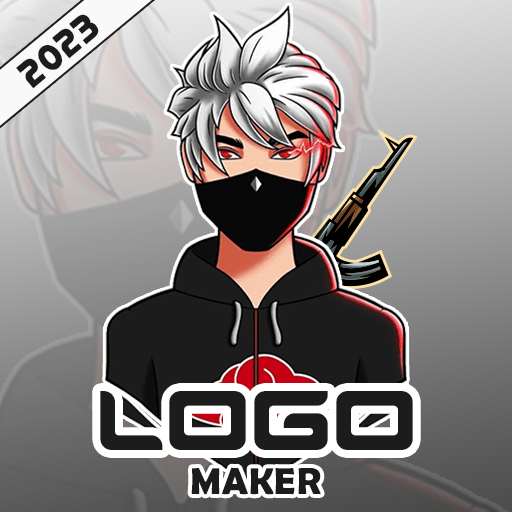
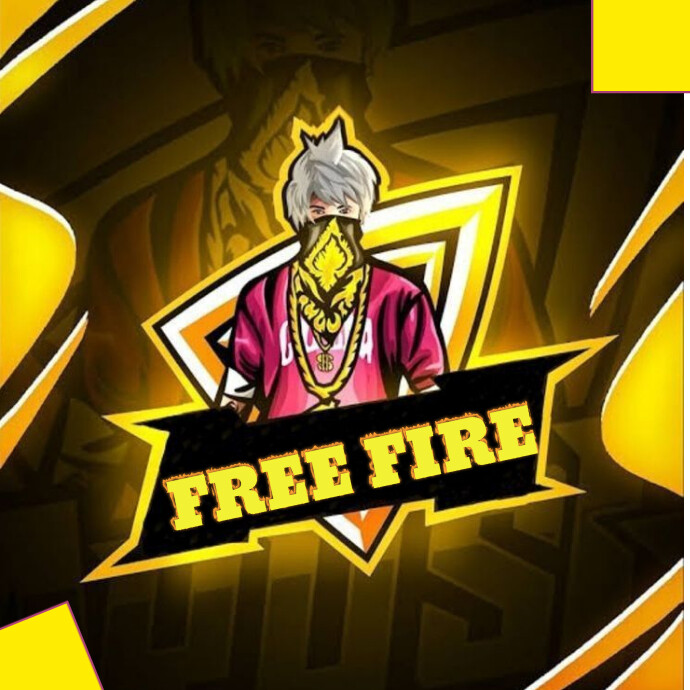
If you’ve just started streaming or competing in Free Fire, the first thing you’ll notice is how much a sharp, memorable logo can boost your brand. A well‑crafted logo not only looks cool on your stream overlay, but it also helps teammates and fans recognize you instantly. This guide walks you through the entire process—from picking the right style to polishing the final graphic—so you can create a stunning Free Fire gaming logo without spending a fortune.
Key Steps to Create a Stunning Free Fire Gaming Logo
Even if you’ve never touched design software before, these five stages keep things manageable:
- Define Your Brand Identity: Jot down three words that capture your gaming persona—aggressive, tactical, playful, etc. This will steer your colour palette and icon choices.
- Research Existing Logos: Browse the Free Fire community on YouTube, Twitch, and Discord. Note what you like and what feels overused (think too many skulls or generic gun silhouettes).
- Sketch Rough Concepts: Grab a paper napkin or a digital sketch app. Sketch three quick variations focusing on shape, typography, and an optional mascot.
- Digitize with Free Tools: Platforms like Canva, GIMP, or Photopea let you bring those sketches to life without a subscription.
- Refine and Test: Export the logo in PNG (transparent background) and test it across your profile picture, banner, and in‑game overlay. Adjust spacing or colour contrast if it looks fuzzy at small sizes.
Choosing Colours and Fonts That Speak “Free Fire”
Free Fire’s visual language leans toward high‑contrast, neon‑bright tones—think electric blues, fiery oranges, and metallic silvers. Pair a bold, sans‑serif font (like Orbitron or Bebas Neue) with a vivid accent colour to create a dynamic feel. If you want a darker vibe, use deep purples or black as the base and let a single neon accent pop. Remember, readability matters: a logo that looks great on a large banner might become illegible as a tiny avatar. Test your design at 64 × 64 px to be sure the main elements remain clear.
Incorporating Iconography Without Overcrowding
Free Fire fans love symbols that hint at battle readiness—crossed rifles, fire flames, or stylised helmets. However, less is often more. Choose one focal icon and simplify its outline. For instance, a stylised flame can double as a “F” for Free Fire, saving space and reinforcing brand initials. Use vector shapes whenever possible; they scale cleanly and keep file sizes low.
Free Design Resources You Can Use Right Now
When you’re on a budget, these free assets can accelerate your workflow:
- Icon Libraries: Flaticon and Iconfinder host thousands of free SVG icons. Search “flame”, “gun”, or “tactical” and filter for “free for commercial use”.
- Font Repositories: Google Fonts offers many bold typefaces that work well for gaming logos.
- Background Textures: Websites like Textures.com provide high‑resolution grunge or metal textures you can layer behind your icon for extra depth.
- Tutorial Communities: Subreddits such as r/DesignTips and Discord design servers often share free brush packs and colour palettes tailored for esports branding.
Exporting the Final Logo for Every Platform
Once you’re happy with the look, export multiple versions to cover all your needs:
- Transparent PNG: Ideal for profile pictures and overlay graphics.
- High‑Resolution JPEG: Use for banners or promotional posters where a solid background is acceptable.
- SVG Vector File: Keep a master copy in SVG; it lets you tweak colours or resize without losing quality.
Most platforms recommend a 1:1 aspect ratio for avatars, while banners often need a 16:9 canvas. Having the right dimensions ready saves you the hassle of cropping later.
Common Pitfalls and How to Avoid Them
Even seasoned designers slip up on a few basics:
- Too Many Fonts: Stick to one primary typeface and perhaps a subtle secondary one for tagline text.
- Overly Complex Details: Tiny lines blur when the logo shrinks; keep shapes bold and edges clean.
- Ignoring Colour Blindness: Test your palette with online simulators; avoid pairing red and green as the only contrast.
- Neglecting Brand Consistency: Use the same logo across all social media, Twitch panels, and in‑game banners to build recognition.
Quick FAQ
Can I create a Free Fire logo without any design experience?
Yes. Free tools like Canva provide templates that you can customize with your own colours, fonts, and icons, letting beginners produce professional‑looking results.
Do I need a trademark for my gaming logo?
If you plan to monetize or sell merchandise, consider registering a trademark to protect your brand. For personal streaming, it’s optional but can prevent future disputes.
How often should I update my logo?
Most gamers refresh their visual identity every 12–18 months, especially after major game updates or when shifting content focus.
What file format is best for animated logos?
Use GIF or APNG for simple animations, but keep the file size under 5 MB to avoid slowing down stream load times.



/i.s3.glbimg.com/v1/AUTH_63b422c2caee4269b8b34177e8876b93/internal_photos/bs/2022/j/Q/cNJ7hIRLyWZcfMjBH1jw/gettyimages-1302206514.jpg)