How to Decode Social Blade for Powerful YouTube Analytics Insights
When you launch a new channel or refine an existing one, the first question that pops up is, “How am I doing?” Social Blade offers a quick, free way to answer that. By decoding its dashboard, you can turn raw numbers into actionable strategies and keep your growth on track. This guide walks you through the most important features, explains how they relate to YouTube’s own analytics, and shows you how to use the data to stay ahead.
What Is Social Blade?
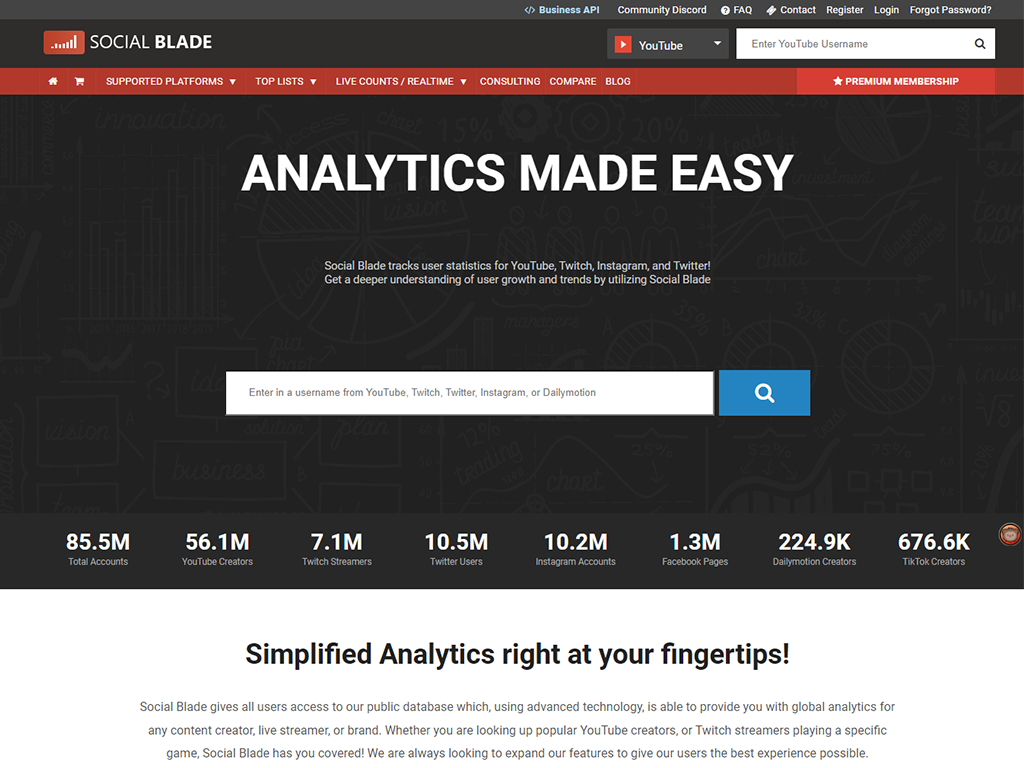
Social Blade is an online tool that tracks statistics for channels on YouTube, Twitch, Instagram, and more. For YouTubers, it aggregates subscriber counts, view totals, estimated earnings, and growth trends from publicly available data. Because it pulls information directly from each platform’s APIs, the numbers are updated hourly and provide a reliable snapshot of performance.
Unlike YouTube Studio, Social Blade is platform‑agnostic, which means you can compare your channel against competitors on the same screen. That comparative edge is especially useful when you’re trying to benchmark against niche leaders.
Why YouTube Analytics Matter
YouTube Studio gives you depth—watch time, retention graphs, traffic sources, and demographic breakdowns. Social Blade, on the other hand, offers breadth: quick overviews of subscriber velocity, daily view trends, and estimated earnings. Together, they create a full picture. Use YouTube Studio to fine‑tune your content strategy, then validate that strategy against Social Blade’s trend lines.
Key Metrics on Social Blade
Below are the most useful indicators you’ll encounter when decoding Social Blade’s dashboard.
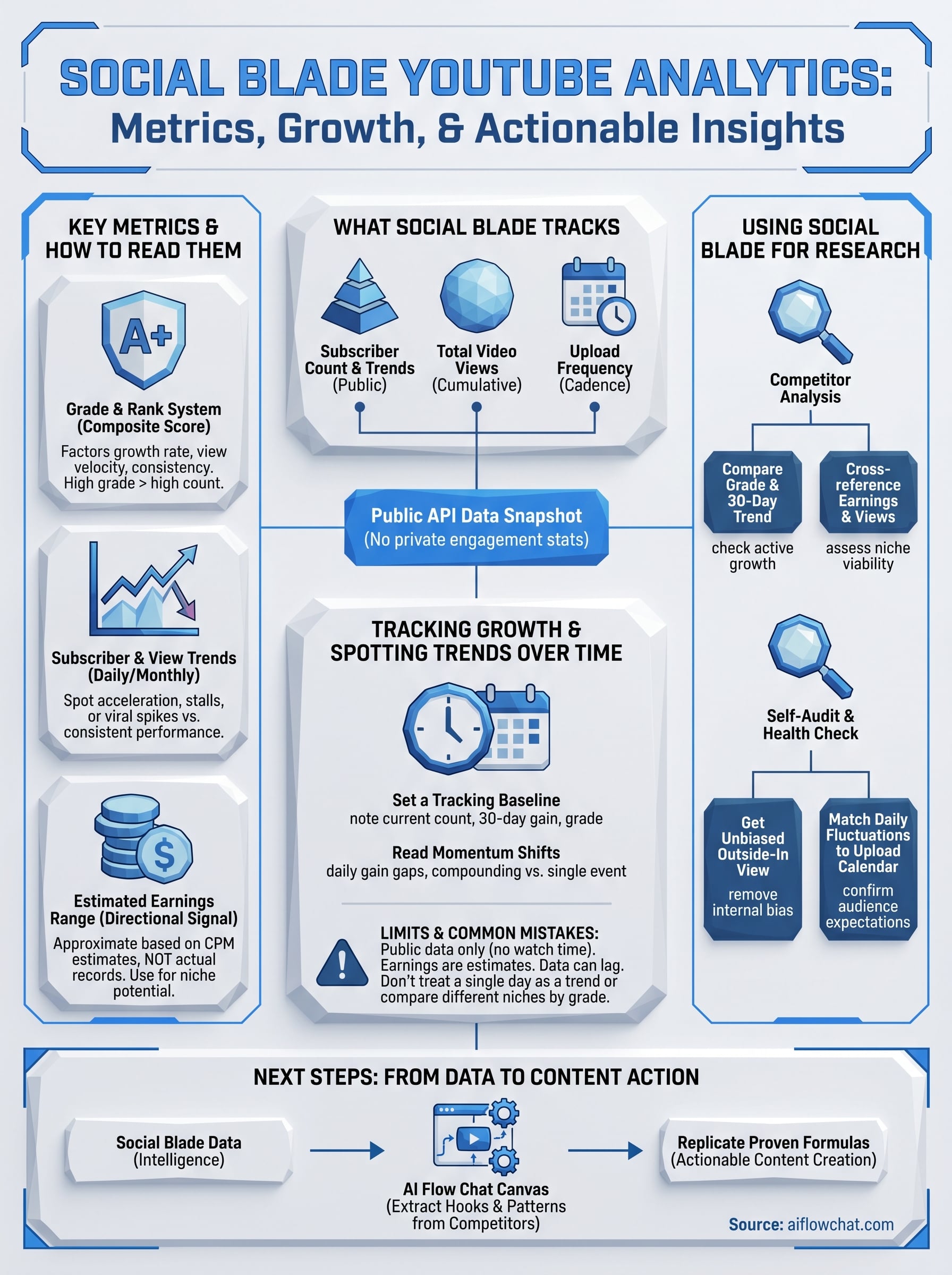
- Subscriber Count – The headline figure, but watch the rate of gain to detect momentum shifts.
- View Count – Total views show overall reach; average daily views highlight consistency.
- Estimated Earnings – Rough revenue estimates (based on CPM ranges) help gauge the channel’s commercial health.
- Rank & Category – How you stack up against peers in the same niche.
- Growth Charts – Line graphs for subscribers and views over the past 30, 90, or 365 days.
- Daily Estimates – Daily projected subscribers and views give you a short‑term pulse.
Remember, the numbers are estimates. Use them as a compass, not a fixed destination.
Interpreting Your Channel’s Growth
When you see a sudden spike in daily subscribers, ask yourself: did a video go viral? Did you launch a new series? Correlate the date on the graph with your content calendar. If the spike is sudden but short‑lived, you may need to replicate the hook that drove viewers to subscribe.
Conversely, a flat or negative trend on the subscriber curve can signal a few possibilities: saturated niche, declining upload frequency, or weak audience engagement. Check YouTube Studio’s retention and click‑through rates for clues.
Benchmarking Against Competitors
Social Blade’s rank feature allows you to view your position among channels in your category. To compare, click the Compare button and add up to 10 rivals. This side‑by‑side view shows:
- Relative subscriber growth rates.
- View totals per video.
- Estimated earnings gaps.
Use this data to identify gaps. If a competitor’s daily view average is consistently higher, analyze their video titles, thumbnails, or posting times to uncover best practices.
Advanced Tips for Data‑Driven Decisions
- Track Channel Trajectory Over Time – Export the CSV from Social Blade and import it into a spreadsheet. This lets you run simple regressions and predict future subscriber milestones.
- Use Alerts – Set up email or SMS notifications for subscriber or view thresholds. Immediate alerts can prompt you to capitalize on momentum.
- Cross‑Platform Analysis – If you run a brand on multiple networks, use Social Blade to keep all metrics in a single dashboard. That unified view prevents siloed strategies.
- Align CPM Estimates with Real Data – Compare Social Blade’s earnings with your YouTube Studio revenue reports. Adjust the CPM range if you notice systematic over‑ or under‑estimation.
Common Misconceptions About Social Blade
Many creators think the numbers are 100 % accurate because they’re publicly sourced. In reality, Social Blade estimates earnings based on CPM ranges that can vary wildly by niche, geography, and season. Also, the daily view estimate is a projection, not an actual count.
Another myth: “If my rank drops, I’m in trouble.” Rank shifts often reflect broader industry changes—new channels entering a niche, for instance—rather than a failure on your part. Use rank as a trend indicator, not a verdict.
Frequently Asked Questions
Q: How often are the Social Blade numbers updated?
A: Most statistics refresh hourly, though earnings estimates may lag a day or two.
Q: Can I access more detailed metrics on Social Blade?
A: The free version offers basic insights. Premium plans unlock advanced analytics like demographic breakdowns and channel comparison depth.
Q: Is Social Blade accurate for new channels?
A: For nascent channels, the data may be sparse. The platform works best once a channel has accumulated a modest history of uploads.
Q: How does Social Blade estimate earnings?
A: It applies a CPM multiplier to your total view count, using a range of $1–$5 per 1,000 views. Adjust the multiplier based on your known CPMs for tighter accuracy.