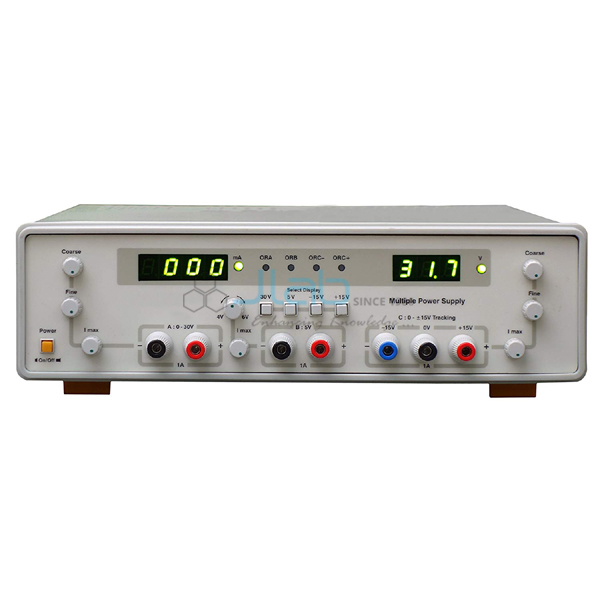
How to Choose and Use a 300V Programmable DC Power Supply
Whether you’re building a lab bench setup or fine‑tuning a prototype, a 300V programmable DC power supply can be the difference between a stable test and a frustrating hiccup. This guide walks through the essential specs, practical setup steps, and a few tricks that keep the unit reliable day after day.
What Is a 300V Programmable DC Power Supply?
A 300V programmable DC power supply is an electronic bench device that delivers a steady direct current up to 300 volts, while allowing the user to set voltage, current limit, and often waveform shape via software or front‑panel controls. The “programmable” part means you can store multiple set‑points, run sequences, or even interface the unit with a PC for automated testing.
Key Features to Look For
Voltage Range and Resolution
Beyond the headline 300 V maximum, check the minimum output and the step size. A resolution of 1 mV or better gives you the fine control needed for precision analog circuits.
Current Capability and Limiting
Current rating varies widely—some models cap at 1 A, others push 5 A or more. Look for independent current limiting that can be programmed alongside voltage, preventing overloads without manual intervention.
Programming Interface
USB, LAN, or GPIB connectivity lets you script ramps, sweeps, and complex sequences. If you prefer a touchscreen or knob‑based operation, make sure the front panel is intuitive; many units combine both.
Protection Mechanisms
Over‑voltage, over‑current, and short‑circuit protection are standard, but a good supply also offers thermal shutdown and output‑over‑voltage protection (OOVP) to guard both the unit and your DUT.
Accuracy and Stability
Look for a specification of ±0.1 % + 2 mV (or better) for voltage accuracy, and similar for current. Low drift over temperature ensures repeatable results, especially in long‑run tests.
Form Factor and Cooling
Desktop‑sized chassis with forced‑air cooling is common, but some compact models run fan‑less for quieter labs. Choose based on available bench space and noise tolerance.
Setting Up Your Supply for the First Time
- Place the unit on a stable, ventilated surface; avoid direct sunlight.
- Connect the mains cord to a grounded outlet; double‑check the voltage rating matches your region.
- Attach the output leads—red to positive, black to ground—using secure banana plugs.
- Power on the unit and let it idle for a minute; this lets the internal regulators settle.
- Use the front panel or software to set the desired voltage, then enable the current limit.
- Verify the output with a calibrated multimeter before connecting your device under test.
Common Applications
- Powering microcontroller development boards that need up to 5 V but benefit from a higher supply for peripheral circuits.
- Testing high‑voltage LED arrays, where precise voltage ramps prevent premature failure.
- Running battery‑charging algorithms that require programmable current limits.
- Simulating sensor bias voltages in automotive or aerospace research.
Troubleshooting Tips
- No output voltage: Confirm the output terminals are correctly seated and that the unit isn’t in “remote‑off” mode.
- Unexpected voltage drop: Check the current limit setting; the supply may be entering constant‑current mode.
- Intermittent noise: Verify that the grounding scheme is solid; a floating ground can introduce ripple.
- Software communication fails: Swap the USB cable, try a different COM port, and ensure drivers are up to date.
Maintaining Accuracy Over Time
Periodic calibration is the cornerstone of long‑term reliability. Many manufacturers recommend a full calibration every 12 months, but if you notice drift beyond the spec, recalibrate sooner. Keep the unit clean—dust on heat sinks can raise internal temperature, subtly shifting output values. Finally, store the supply in a dry environment; high humidity can affect the internal reference circuitry.
FAQ
Can I use a 300V supply to drive low‑voltage circuits? Absolutely. Set the voltage to the required level—most units can go down to a few millivolts—while keeping the current limit appropriate for the low‑voltage device.
Do I need special cables for high‑voltage output? For voltages approaching the 300 V limit, use cables rated for at least 350 V and ensure proper insulation. Standard banana‑plug leads are usually sufficient, but double‑check the rating.
Is it safe to program rapid voltage sweeps? Modern programmable supplies include slew‑rate controls to prevent overshoot. As long as you stay within the unit’s specified ramp rate, rapid sweeps are safe for both the supply and the DUT.
What’s the difference between programmable and preset supplies? A programmable supply lets you store and recall multiple set‑points, run complex sequences, and interface with software. Preset models are limited to manual knob adjustments and lack remote control.