How iPhone Apps Turn Your AC Into Smart Cooling
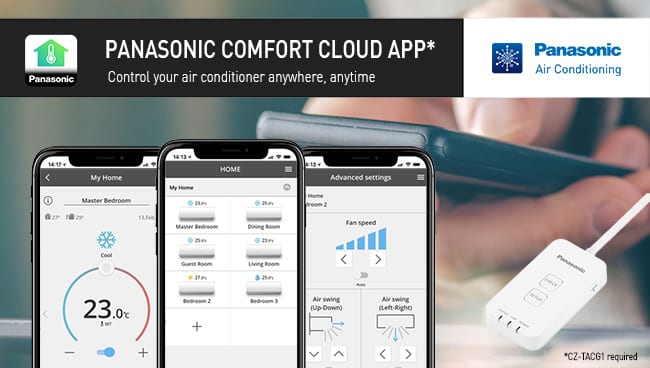
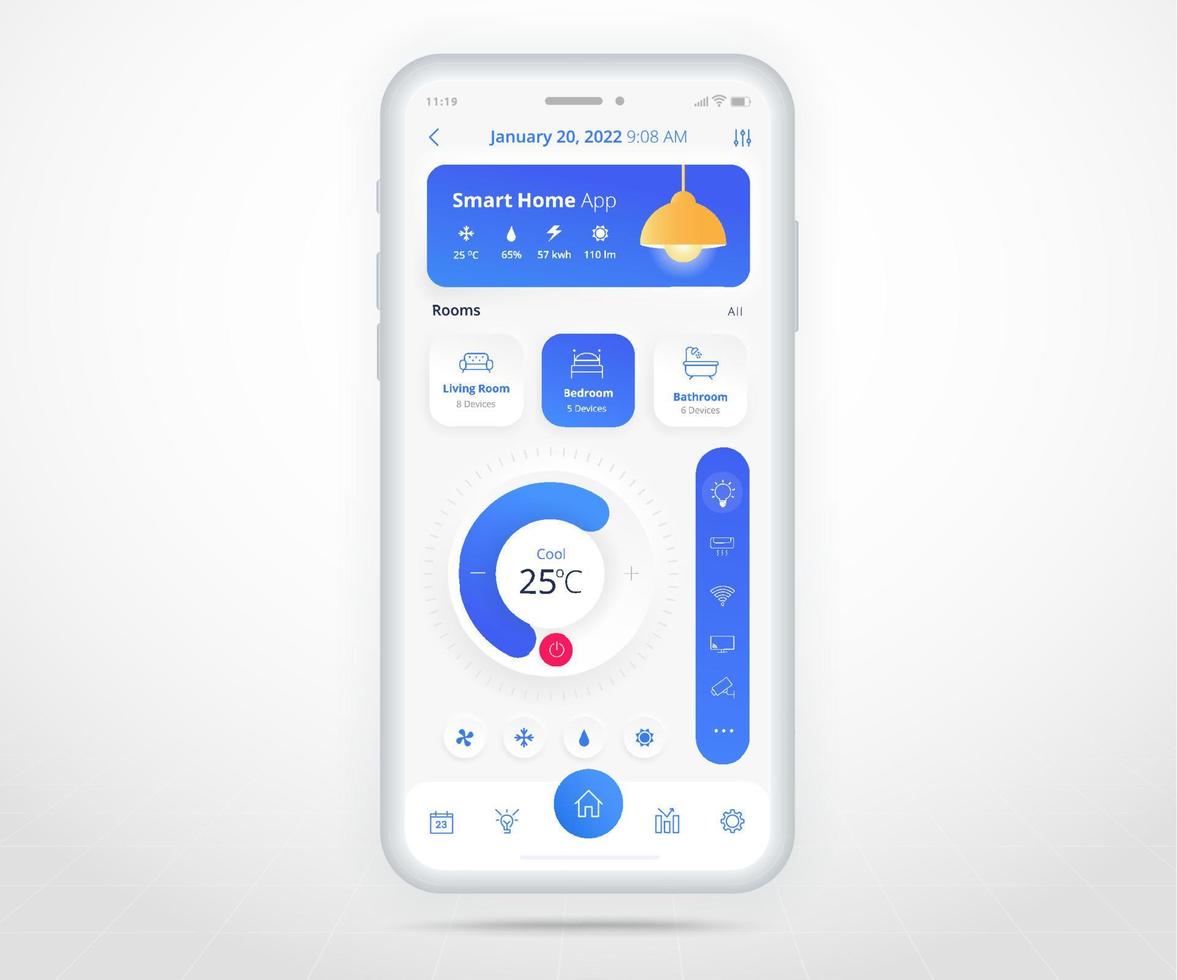
Imagine adjusting your living‑room temperature from a coffee shop, or letting your air conditioner start cooling the house before you step through the door. Thanks to iPhone air conditioner control apps, that convenience is no longer a futuristic fantasy. These tools connect your smartphone to a compatible AC unit, letting you fine‑tune settings, schedule cycles, and monitor energy use—all from the palm of your hand. Below, we’ll explore why smart cooling matters, how to pick the right app, and practical steps to get the most out of your iPhone‑controlled AC.
Why Smart Cooling Matters
Traditional thermostats react only to manual input, which often leads to over‑cooling or wasted electricity. Smart cooling, on the other hand, leverages data such as room occupancy, weather forecasts, and personal habits to adjust the compressor only when needed. The result is a more comfortable environment, lower utility bills, and a smaller carbon footprint. Many homeowners report noticeable savings after switching to an app‑driven system, especially in regions with hot, humid summers.
Choosing the Right iPhone AC Control App
Not every app works with every air conditioner, so matching compatibility is the first step. Below are the most common categories you’ll encounter on the App Store:
- Manufacturer‑specific apps – Brands like LG, Samsung, and Daikin often provide their own iPhone apps that pair directly with newer Wi‑Fi‑enabled units.
- Universal IR controllers – Devices such as the BroadLink RM4 Pro or Sensibo Sky translate infrared signals into Wi‑Fi commands, letting a single iPhone app control multiple brands.
- Smart thermostat integrations – If your home already uses a Nest or Ecobee thermostat, the corresponding iPhone app can manage compatible AC units through the thermostat’s hub.
- Dedicated smart‑cooling apps – Apps like Tado° or AirPatrol focus on advanced scheduling, geofencing, and AI‑driven recommendations.
Read each app’s description for phrases like “works with IR” or “Wi‑Fi enabled AC” to ensure a smooth pairing experience.
Setting Up Your App for Seamless Operation
Once you’ve selected an app, follow these general steps to connect it to your AC:
- Turn on the AC’s Wi‑Fi mode or attach an IR blaster according to the manufacturer’s guide.
- Download the app from the App Store and create an account if required.
- Use the app’s “Add Device” feature, selecting the correct model from the list or letting it scan for nearby signals.
- Test basic commands—turn on, adjust temperature, switch modes—to confirm reliable communication.
Most apps will prompt you to name each unit (e.g., “Bedroom AC”) and assign it to a room, which helps when you later set up automations.
Tips for Maximizing Energy Savings
Even a powerful app can’t guarantee savings unless you use it wisely. Here are a few low‑effort habits that amplify the benefits of smart cooling:
- Leverage geofencing. Enable the app’s location‑based triggers so the AC powers down when you leave the house and re‑starts as you approach.
- Schedule off‑peak operation. Many utilities charge lower rates after 9 p.m.; set your AC to run briefly during those hours if your home retains cool air.
- Use “eco” or “energy‑save” modes. These preset fan speeds and temperature ranges that keep comfort while reducing compressor load.
- Integrate with HomeKit. If you use Apple’s HomeKit, create scenes like “Good Night” that automatically lower the temperature and dim lights.
Regularly review the app’s usage reports; most provide visual graphs of daily runtime and energy consumption, helping you spot patterns that can be refined.
Dealing with Common Connection Issues
It’s normal to encounter hiccups during the first few weeks. A flaky Wi‑Fi signal is often the culprit—try placing the AC’s Wi‑Fi module or IR blaster closer to your router, or use a Wi‑Fi extender. If the app loses sync, a simple power‑cycle of both the AC unit and the controller usually restores communication. For persistent problems, consult the app’s support forum; many users share step‑by‑step fixes for specific models.
Future‑Proofing Your Smart Cooling Setup
As Apple continues to expand its ecosystem, new features like Thread and Matter are poised to simplify device compatibility. When choosing a new AC or controller, look for “Matter‑compatible” labels; this will ensure smoother integration with future iPhone updates and other smart‑home platforms. Additionally, keep your iPhone’s iOS version current—Apple frequently adds background networking improvements that reduce latency for smart‑home apps.
Beyond Temperature: Adding Comfort Layers
Smart cooling isn’t limited to temperature alone. Many apps let you control fan speed, swing direction, and even humidity settings on compatible units. Pairing your AC with a smart humidifier can maintain ideal indoor humidity, reducing the perceived need for lower temperatures. Likewise, integrating voice assistants like Siri enables hands‑free commands: “Hey Siri, set the living‑room AC to 24 °C.”
FAQ
Can I control an older, non‑Wi‑Fi air conditioner with my iPhone?
Yes—by using an infrared controller such as Sensibo Sky or BroadLink RM4 Pro, you can bridge the gap between legacy units and modern apps.
Do smart‑cooling apps actually lower my electricity bill?
While exact savings vary, most users experience a 10‑20 % reduction after adopting scheduling, geofencing, and eco‑mode features.
Is it safe to grant my iPhone remote access to the AC?
Reputable apps use encrypted connections and two‑factor authentication. Keep the app updated and use strong passwords to maintain security.
Do I need an Apple HomePod for iPhone AC control?
A HomePod isn’t required, but it enables voice commands via Siri and can act as a hub for HomeKit‑compatible devices, adding convenience.