Free Business Model Canvas PPT Templates for Easy Downloads
Planning a startup pitch or a strategic workshop? A well‑structured Business Model Canvas (BMC) can turn abstract ideas into a clear visual story. If you’re looking for Business Model Canvas PPT Templates Free Downloads, you’re in the right place. This guide walks you through why templates matter, where to grab them without paying a dime, and how to customize them for maximum impact.
Business Model Canvas PPT Templates: Free Downloads and Where to Get Them
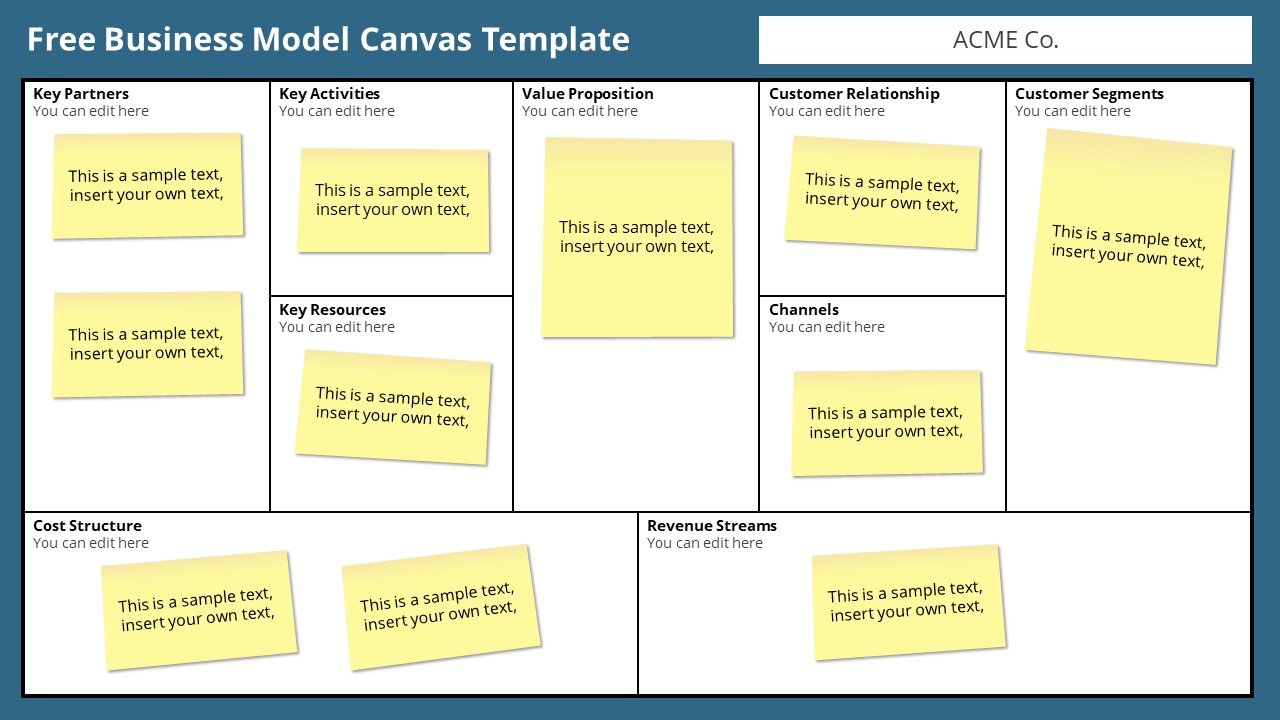
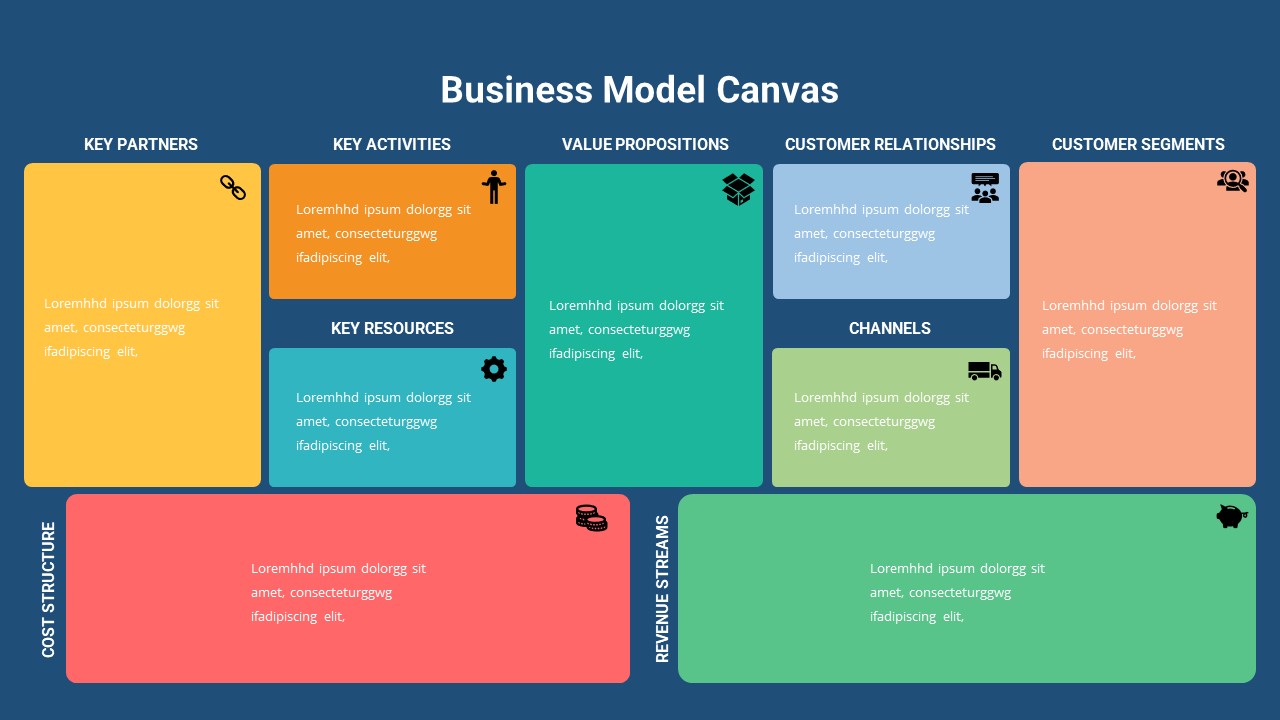
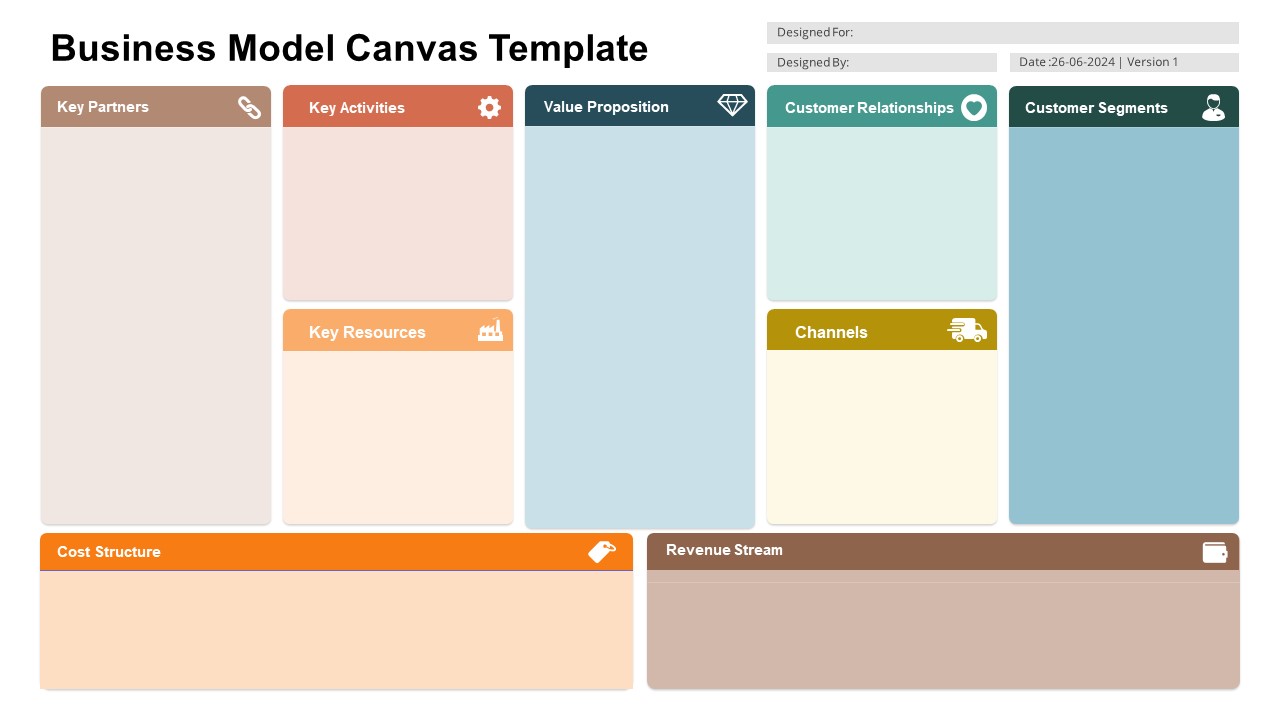
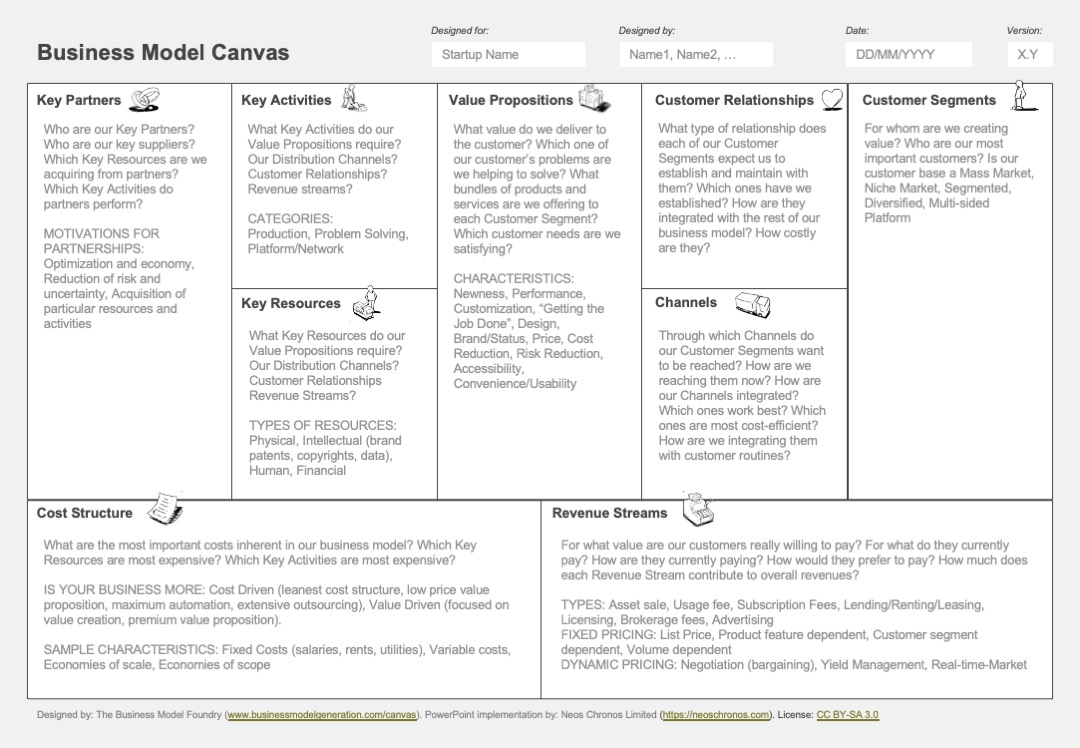
The classic BMC divides a business into nine building blocks: Key Partners, Key Activities, Key Resources, Value Propositions, Customer Relationships, Channels, Customer Segments, Cost Structure, and Revenue Streams. A ready‑made PowerPoint template arranges these blocks neatly on the slide, allowing you to focus on content instead of layout. When searching for free versions, keep an eye on design quality and editable layers—an image‑only file won’t let you tweak colors or add new boxes.
Top Sources for Free Downloads
- SlidesCarnival – A wide selection of free PowerPoint themes, including a BMC template that supports multiple slide layouts.
- Canva – Offers a BMC deck that can be edited online, then exported as .pptx or .pdf. The drag‑and‑drop editor is ideal for quick tweaks.
- Google Slides Themes – Search the Gallery for “Business Model Canvas”; most results are fully editable and can be downloaded as PowerPoint files.
- SlideModel (Free Samples) – Provides high‑resolution BMC templates as PDFs, which you can convert to PPT with a free converter.
- PowerPoint Templates Hub – Features a free BMC layout with clean icons and ample white space for notes.
How to Download and Customize Your Template
Once you’ve picked a source, the download steps are usually identical across platforms. Most sites will ask for an email before giving the link—just a quick form to keep your access. After you’ve saved the file:
- Open the file in PowerPoint or the source’s editor. Verify that each of the nine blocks is an editable shape or textbox.
- Replace placeholder text. Start with the Value Proposition to anchor the rest of the canvas.
- Adjust colors and fonts. Keep a consistent palette that aligns with your brand or presentation theme.
- Insert your data. Add icons, charts, or images to support each block—especially the Cost Structure and Revenue Streams.
- Save a copy. Keep the original intact; create a “draft” version for each presentation to avoid accidental edits.
Best Practices for Presenting Your Canvas
Presenting a BMC isn’t just about showing the blocks; it’s about telling a story that resonates with stakeholders.
- Start with the customer. Place the Customer Segments and Value Propositions front and center; audiences love to see the “why” first.
- Use color coding. Assign a distinct hue to each block, but avoid overwhelming the slide. A subtle gradient can tie everything together.
- Keep text concise. Aim for one sentence per block—enough to convey the idea, not a paragraph.
- Leverage animations sparingly. Highlight one block at a time to maintain focus and reduce cognitive load.
- Include a summary slide. After the canvas, add a brief “next steps” slide that translates the model into actionable tasks.
Common Pitfalls and How to Avoid Them
Even with a clean template, mistakes can undermine credibility. Watch for these traps:
- Overloading the slide. Too many icons or bullet points can clutter the canvas; prioritize the most critical information.
- Ignoring the customer perspective. A BMC that focuses only on internal processes feels detached; always link internal blocks back to customer value.
- Neglecting data sources. Make sure each claim—especially cost assumptions—is backed by market research or financial modeling.
- Using incompatible fonts. Stick to web‑safe fonts; avoid exotic typefaces that may not render correctly on other computers.
- Failing to update the template. A static canvas can misrepresent your evolving strategy; revisit it after major pivots.
FAQs
- Where can I reliably download free BMC templates? SlidesCarnival, Canva, and the Google Slides Gallery are popular, reliable sources.
- Are the free templates editable? Most are fully editable, but verify the layers before use; some PDF‑based templates may require conversion.
- Do I need a subscription to use them? No, all the sources listed offer at least one fully free version.
- Can I customize the color scheme to match my brand? Yes—open the template, adjust the fill color of each block, and replace the default fonts with your brand fonts.