Discover CLMS: Your Ultimate iOS Digital Dictionary
When you’re learning a new language, reading complex texts, or simply curious about obscure words, a reliable dictionary on your iPhone can make all the difference. CLMS, short for Comprehensive Language Mastery System, is a feature‑rich iOS digital dictionary that blends classic lexicon power with modern app conveniences. In this guide, we’ll walk through what sets CLMS apart, how it works, and why it’s quickly becoming the go‑to choice for students, travelers, and word lovers alike.
Why Choose CLMS as Your Go‑to iOS Digital Dictionary?
Unlike generic dictionary apps, CLMS offers a curated blend of linguistic depth and user‑friendly design. Here’s why it stands out:
- Extensive Vocabulary – Over 50,000 entries, including archaic and industry‑specific terms.
- Context‑Aware Definitions – Sentences and usage examples pulled from contemporary sources.
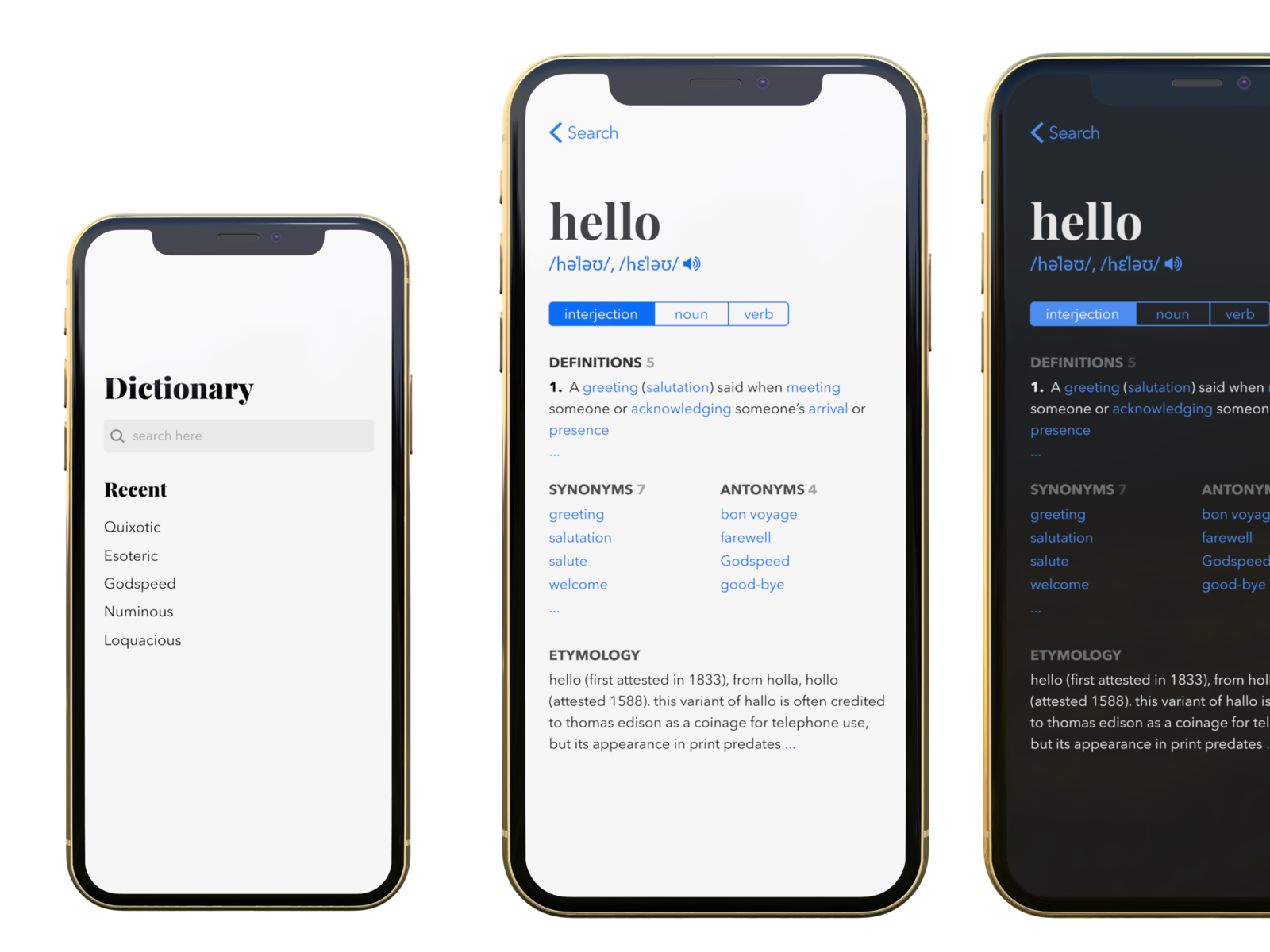
- Multimedia Support – Audio pronunciation, phonetic transcriptions, and visual clues for tricky words.
- Cross‑Platform Sync – Your notes and custom lists stay in sync between iPhone, iPad, and Mac.
- Customizable UI – Dark mode, adjustable font sizes, and a “night reading” theme for low‑light use.
These features combine to give you an intuitive, comprehensive, and immersive dictionary experience.
Getting Started: Installation and Setup
Download CLMS from the App Store in a single click. Once installed, launch the app and you’ll be greeted by a clean home screen. The onboarding wizard walks you through:
- Choosing your primary language and any secondary languages.
- Enabling data‑sync services (iCloud or your preferred cloud provider).
- Setting up personalized word lists, such as “Daily Vocabulary” or “Business Terms.”
After setup, you’re ready to search. The search bar supports partial matches, synonyms, and even handwriting recognition for stylus‑enabled devices.
Deep Dive: Features That Make a Difference
Below we highlight the core capabilities that elevate CLMS beyond a basic lookup tool.
1. Intelligent Search Engine
CLMS uses an adaptive algorithm that predicts your intent based on input patterns. If you type “cobbl” the app suggests “cobblestone,” “cobble,” and even “cobbler” with real‑time definitions. This reduces the time you spend scrolling through unrelated entries.
2. Rich Example Sentences
Every definition is accompanied by two or more example sentences sourced from reputable publications, novels, or academic papers. These examples illustrate nuance and common collocations, helping you understand how a word actually behaves in context.
3. Audio Pronunciation & Phonetics
All entries include native‑speaker audio clips. The phonetic transcription follows IPA standards, and you can toggle between American, British, or other dialect variations.
4. Custom Vocabulary Lists
Want to track words you’re studying for an exam? Create a list, tag it with difficulty level, and add personal notes. The “Flashcards” mode turns these lists into spaced‑repetition quizzes that sync across your devices.
5. Offline Mode
CLMS lets you download entire language packs, ensuring you can search even without an internet connection. This is essential for travelers or users with limited data plans.
Integrating CLMS with Everyday Workflows
Beyond the app’s built‑in features, CLMS plays nicely with other iOS tools.
- Universal Clipboard – Copy a word from a web page, tap “Define in CLMS” from the share sheet, and instantly see its definition.
- Shortcuts Integration – Create custom Siri shortcuts to ask CLMS to define a word or fetch its pronunciation.
- Notes and Pages Compatibility – Insert a definition directly into your notes or documents, preserving formatting and links.
These integrations make the dictionary part of your daily digital ecosystem, rather than a separate app you reach for only occasionally.
Tips for Maximizing Your Experience
- Explore the “Word of the Day” feature – Each morning, CLMS highlights a new word, complete with definition and example usage.
- Use the “Compare” function – Compare two words side‑by‑side to see differences in meaning, usage, and etymology.
- Engage with community reviews – Users can rate and comment on definitions, ensuring the lexicon stays current and user‑centric.
- Leverage the “Reading Mode” – When you’re reading e‑books or PDFs, highlight a word, then tap the CLMS icon to get instant help without leaving your document.
Is CLMS Free or Paid?
CLMS follows a freemium model. The core dictionary and basic search features are free. Premium unlocks include:
- Advanced pronunciation options (accent variations).
- Full access to historical and etymological data.
- Unlimited custom list creation and flashcard functionality.
- No ads and priority customer support.
Pricing tiers are transparent, and you can upgrade anytime within the app.
Common User Questions
- Can I use CLMS for multiple languages simultaneously? – Yes. The app supports dual‑language mode, making it ideal for bilingual learners.
- What happens if I delete the app but had a paid subscription? – Your subscription stays active; reinstalling the app restores full access.
- Is there a web version? – CLMS is currently available only as an iOS app, though a companion web portal is in development.
- Can I contribute my own definitions or examples? – Users can suggest edits via the app’s feedback form, and approved contributions are added to future updates.
Final Takeaway
CLMS transforms the humble dictionary into an engaging, powerful learning companion. Whether you’re a student tackling complex texts, a traveler needing quick reference, or a word enthusiast exploring language nuances, the app’s depth, versatility, and seamless integration with iOS make it the smart choice for your digital vocabulary needs.